Credit repair · Credit building · Business funding

Results first. Then you pay.

We review your three credit reports with you, dispute what you believe is inaccurate and help you build positive history. You pay only after results.

Start online

See how it works

Takes under a minute. No Social Security number asked here.

  • You pay only after results
  • Written agreement before you sign
  • Three business days to cancel after you sign

The proof, counted from our own client files.

65 client files, three bureaus each, from the September 2026 round.

2,050items deleted across 65 files
23items deleted in the typical (median) file
59 of 65files improved at all three bureaus
+118typical (median) change per bureau score

Six of those files, one by one.

Picked by rule, not by result: we sorted the 54 files with complete reports by score change and took one from each sixth, always including one where a score went down.

  1. Client file 01
    BureauBeforeAfterChange
    Equifax476539+63
    Experian500560+60
    TransUnion504551+47
    Items deleted this round
    52
    Report dates
    Aug 5 → Sep 3, 2026
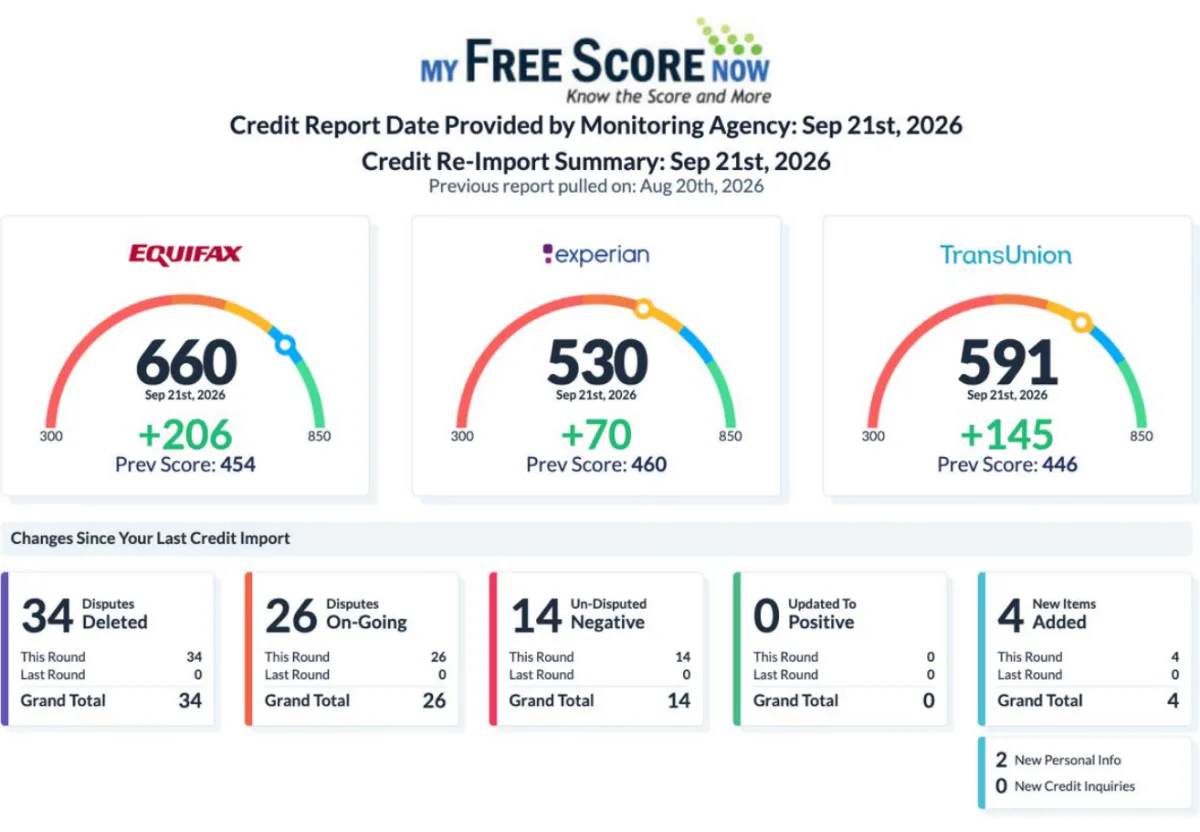
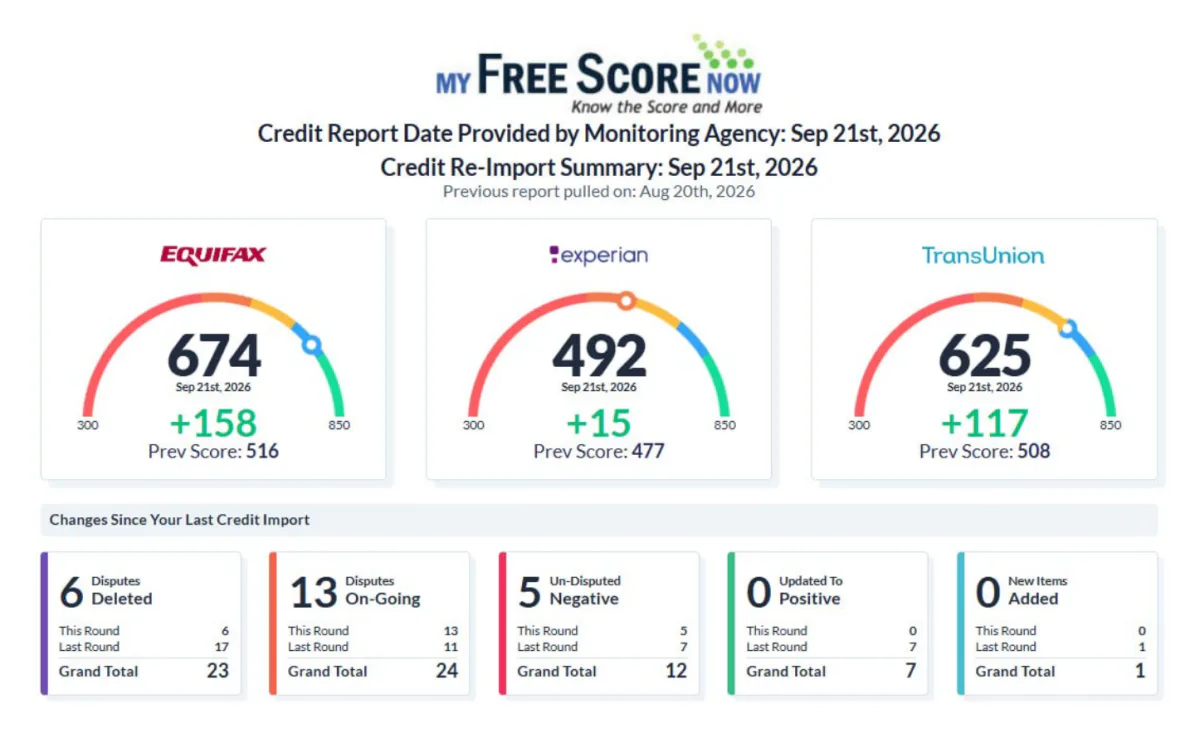
  2. Client file 02
    BureauBeforeAfterChange
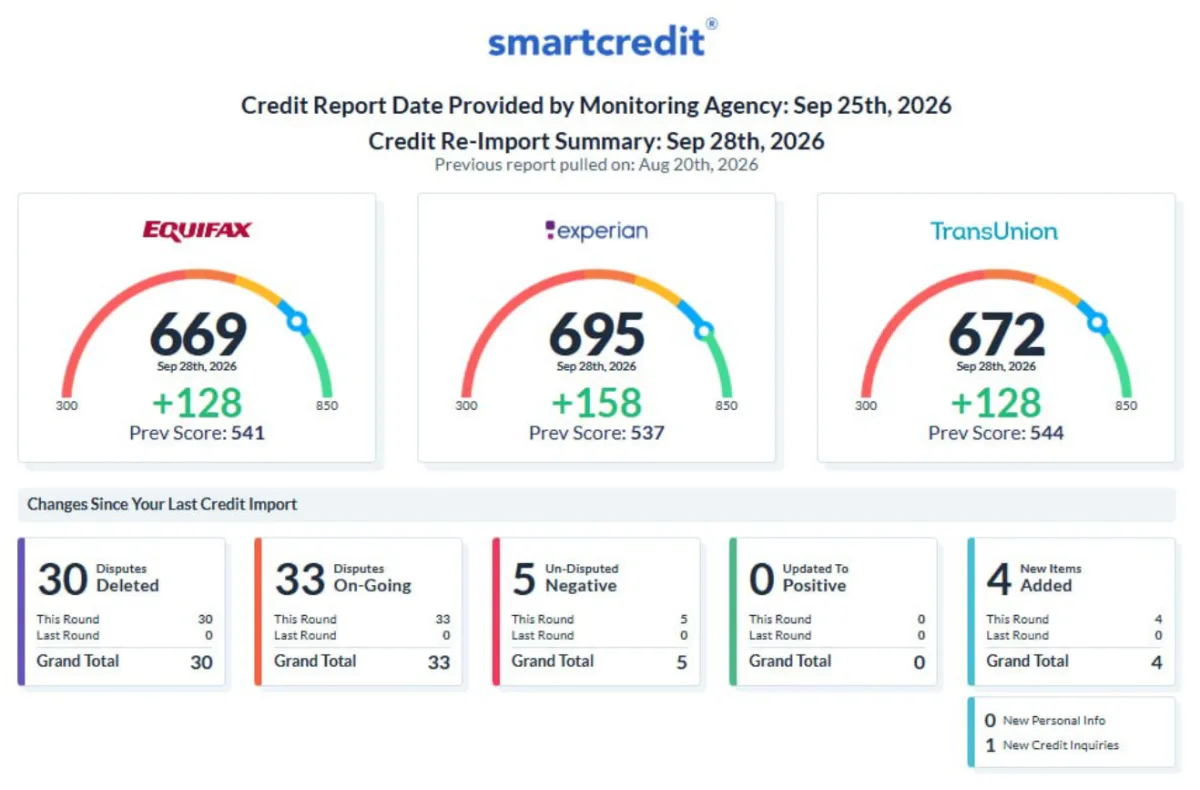
    Equifax516674+158
    Experian477492+15
    TransUnion508625+117
    Items deleted this round
    6
    Report dates
    Aug 20 → Sep 21, 2026
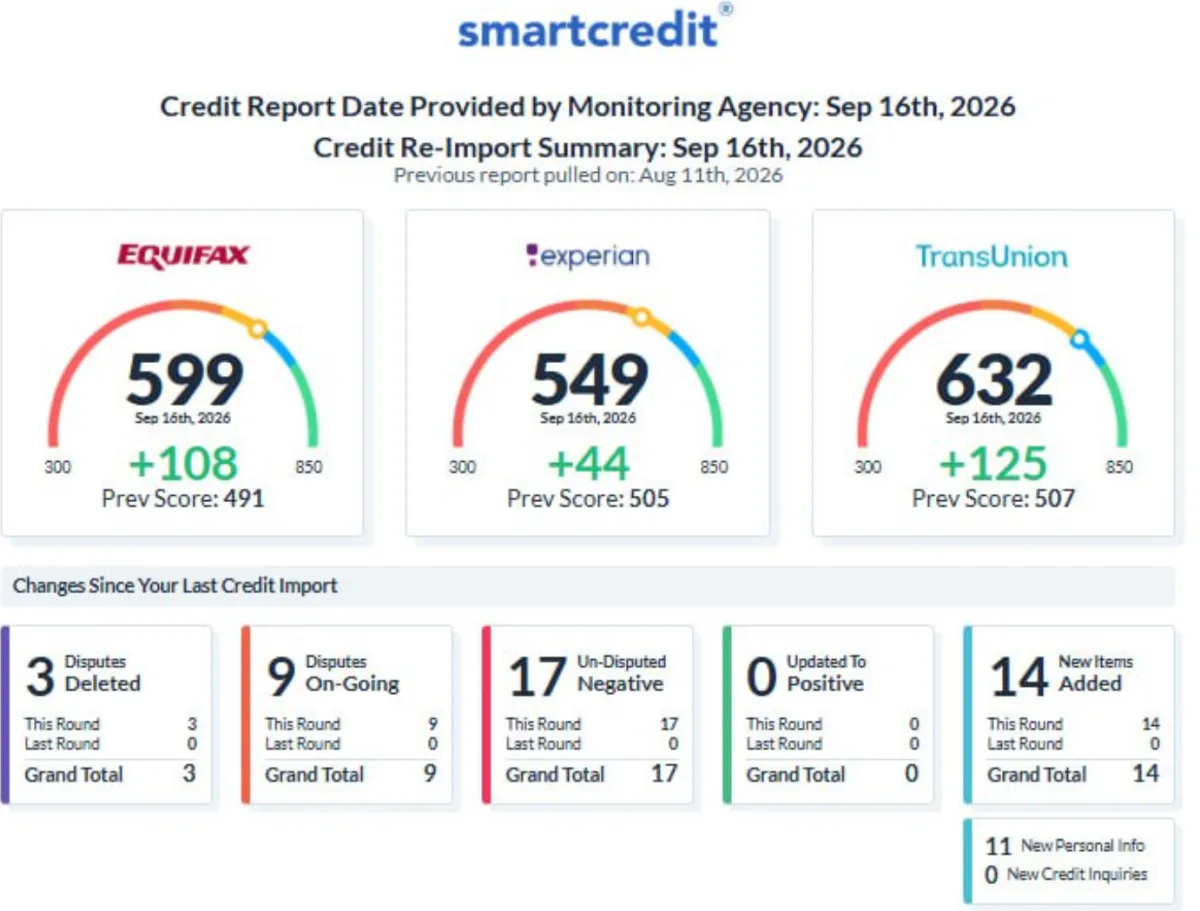
  3. Client file 03
    BureauBeforeAfterChange
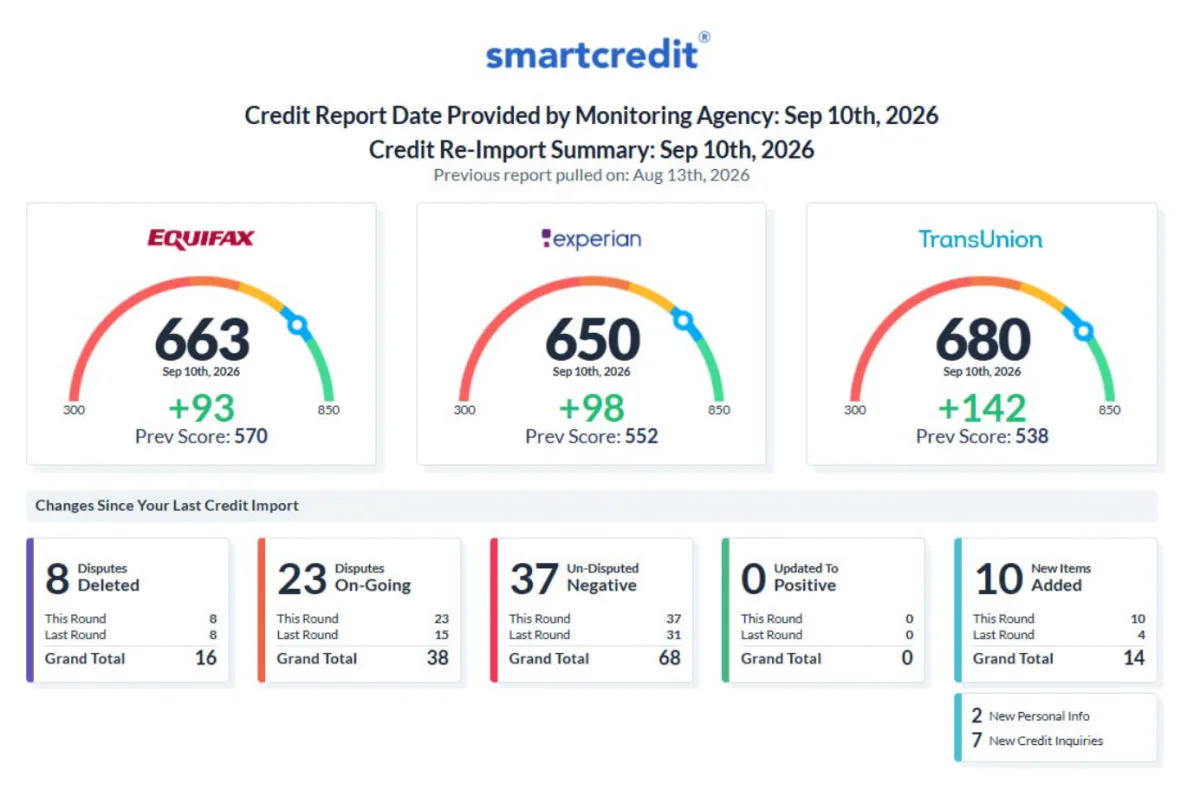
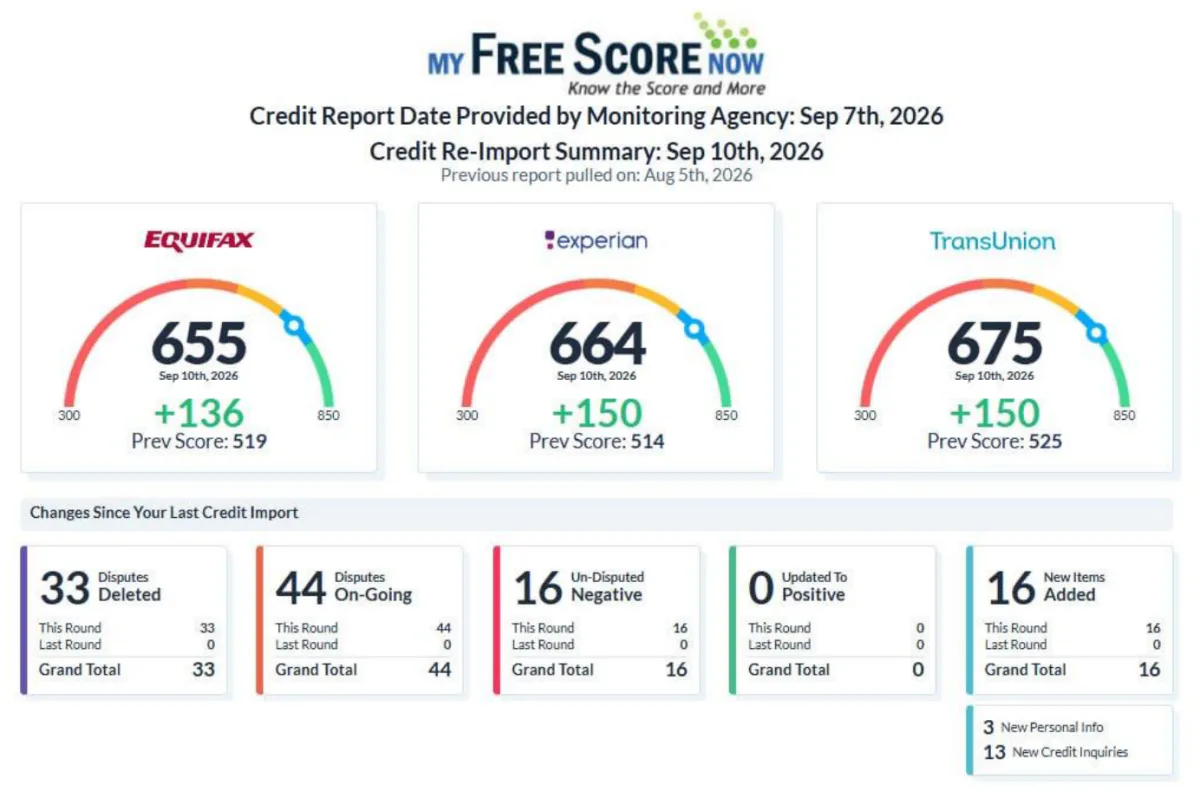
    Equifax570663+93
    Experian552650+98
    TransUnion538680+142
    Items deleted this round
    8
    Report dates
    Aug 13 → Sep 10, 2026
  4. Client file 04
    BureauBeforeAfterChange
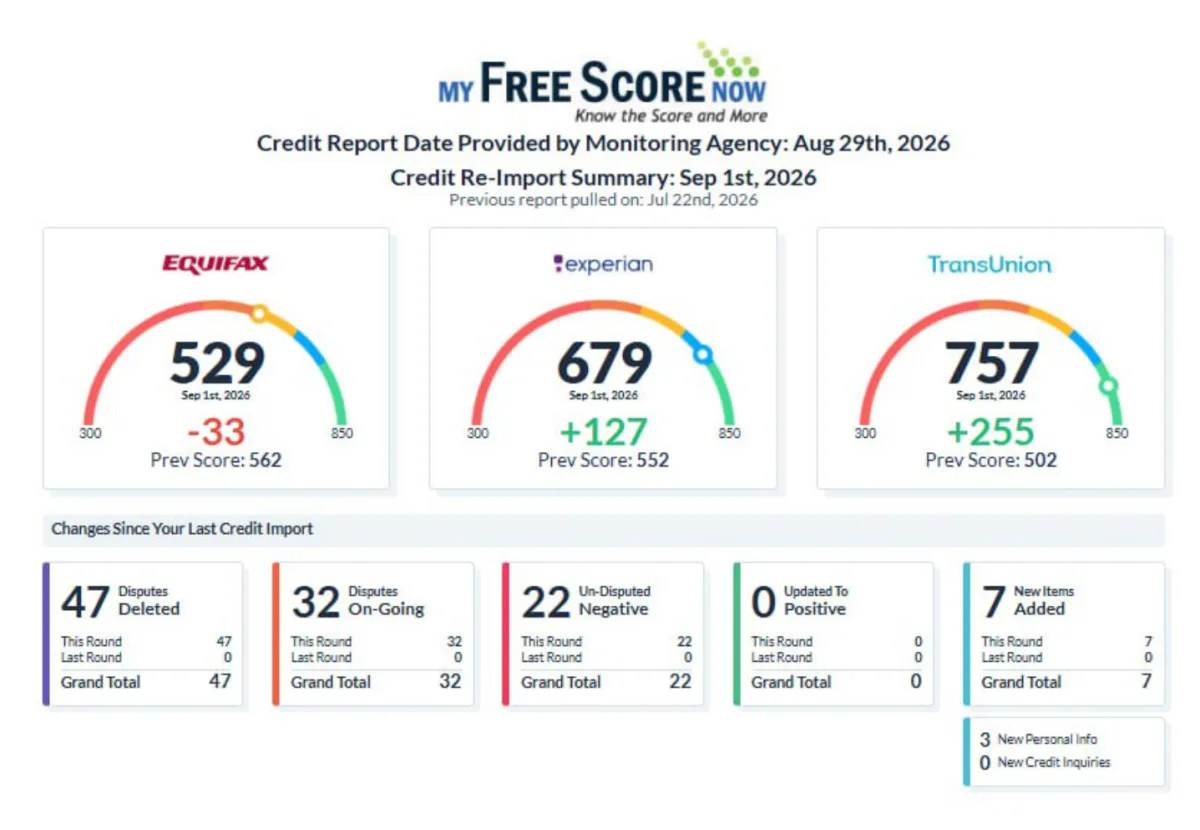
    Equifax562529−33
    Experian552679+127
    TransUnion502757+255
    Items deleted this round
    47
    Report dates
    Jul 22 → Aug 29, 2026
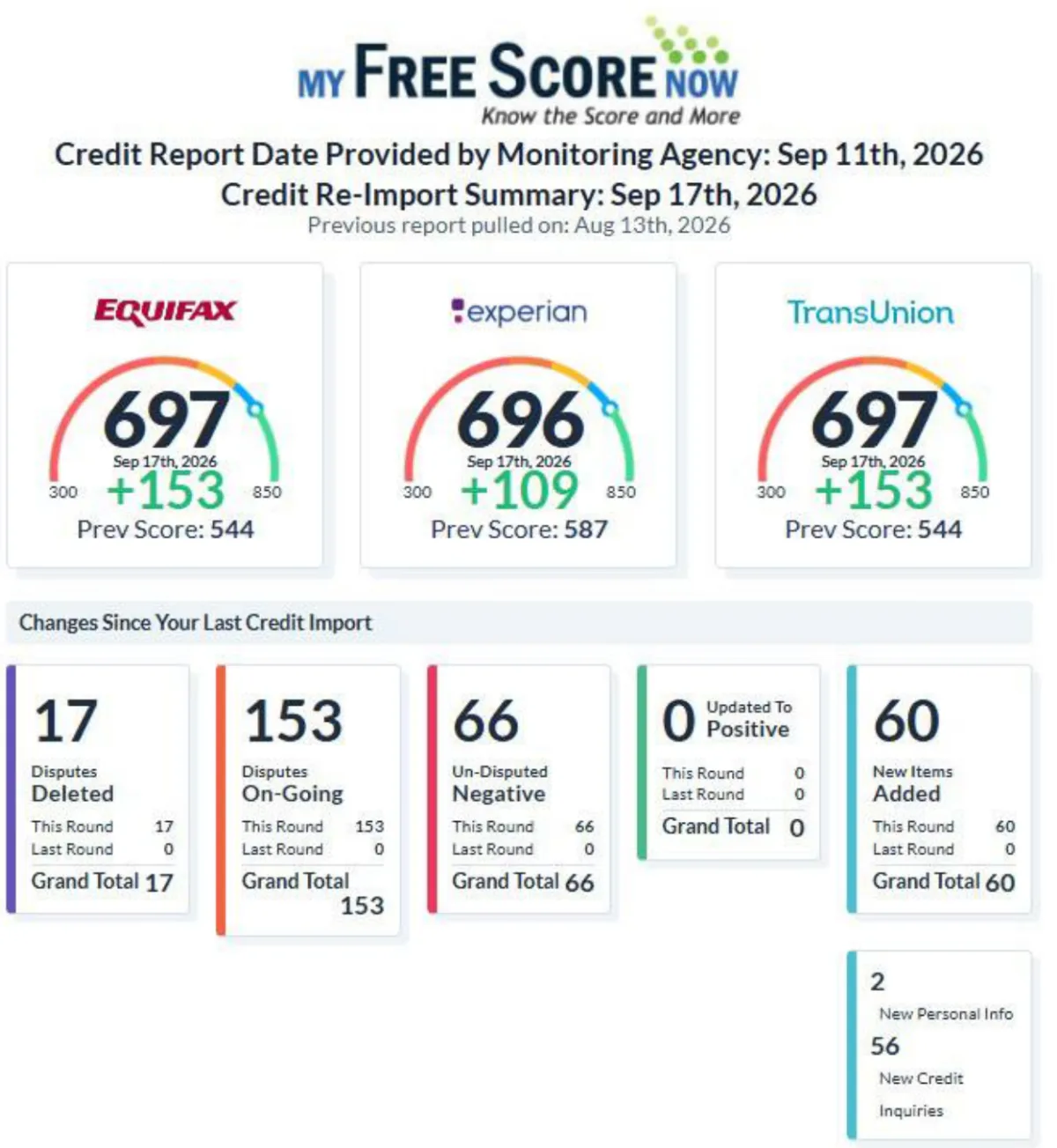
  5. Client file 05
    BureauBeforeAfterChange
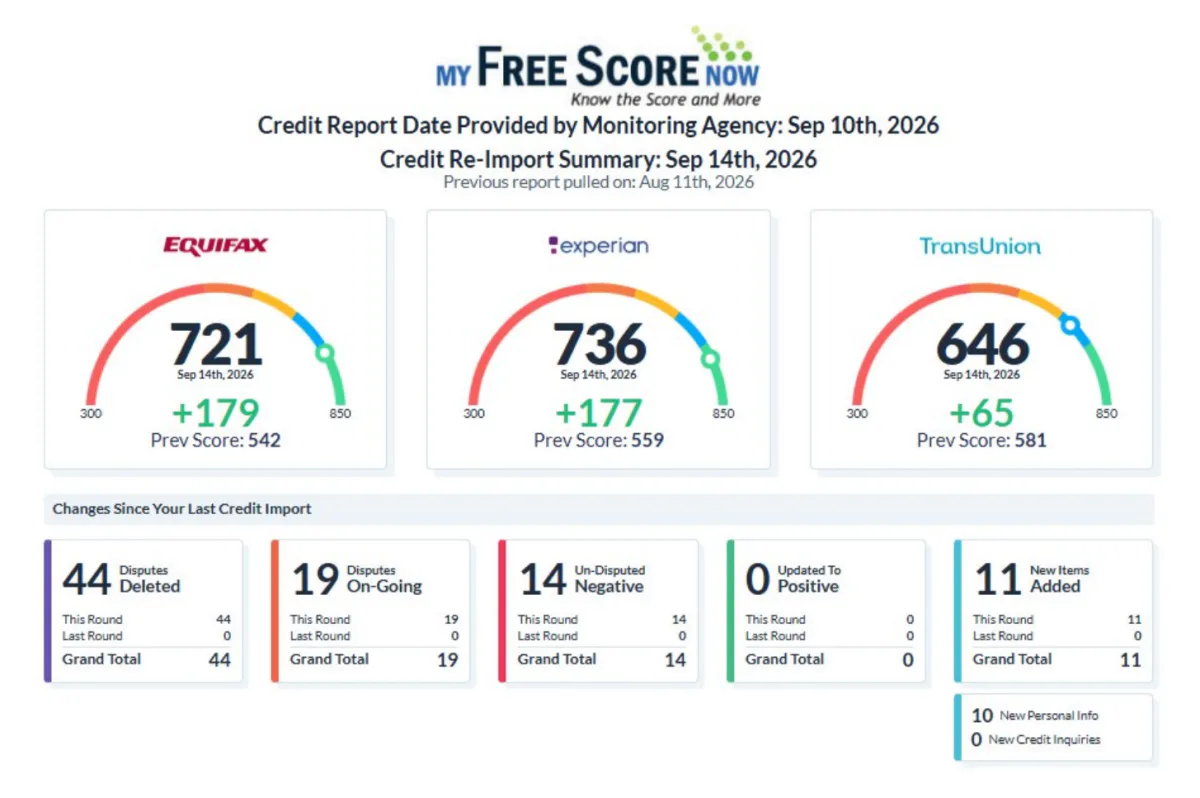
    Equifax542721+179
    Experian559736+177
    TransUnion581646+65
    Items deleted this round
    44
    Report dates
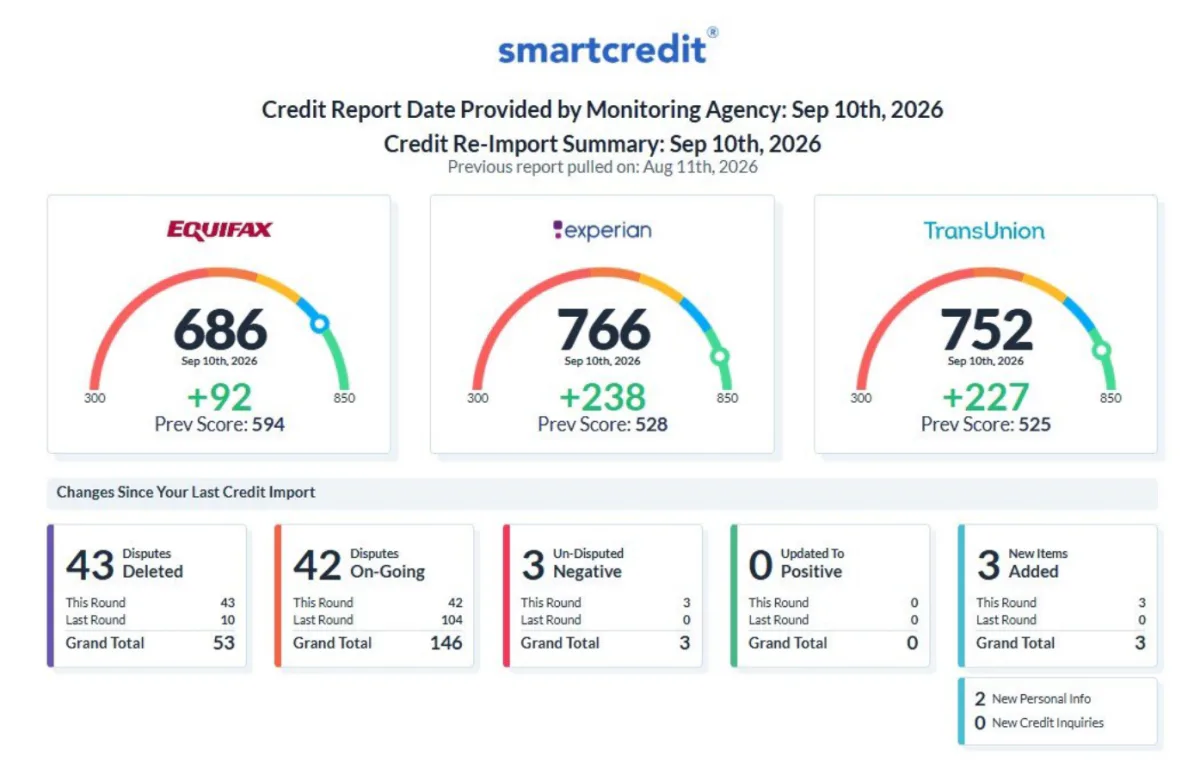
    Aug 11 → Sep 10, 2026
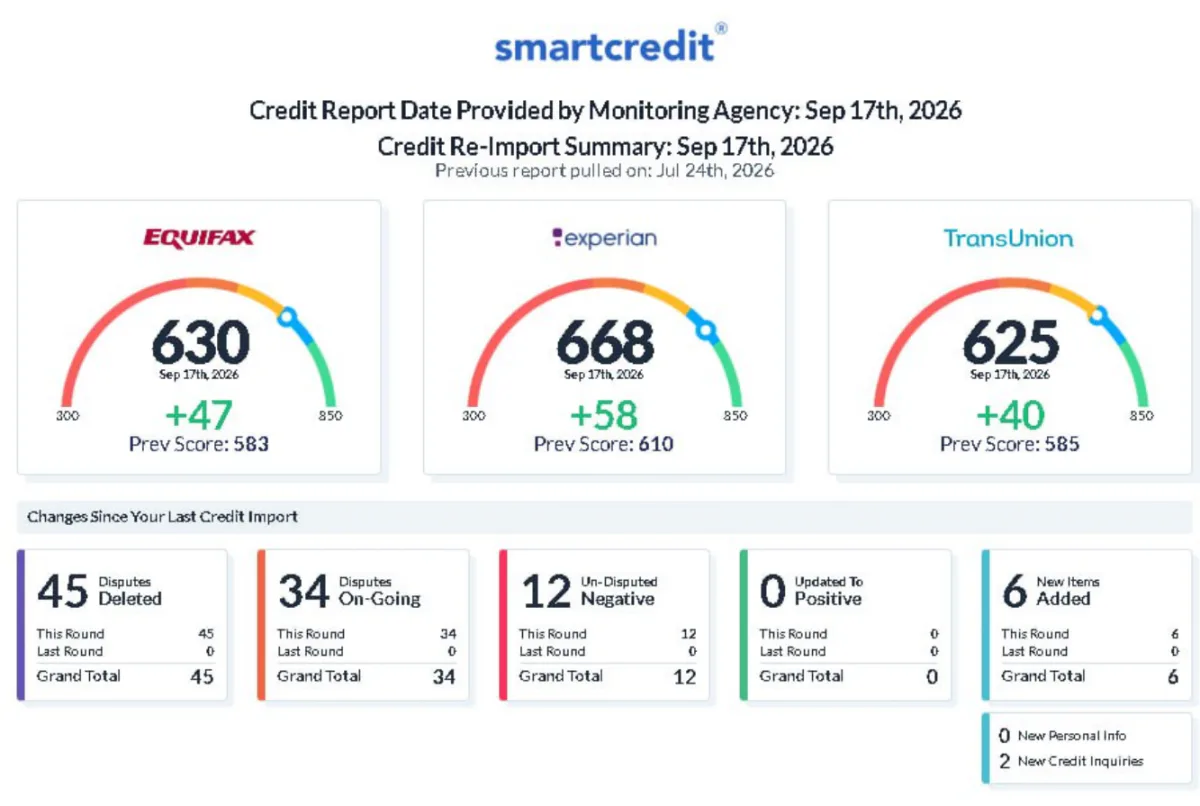
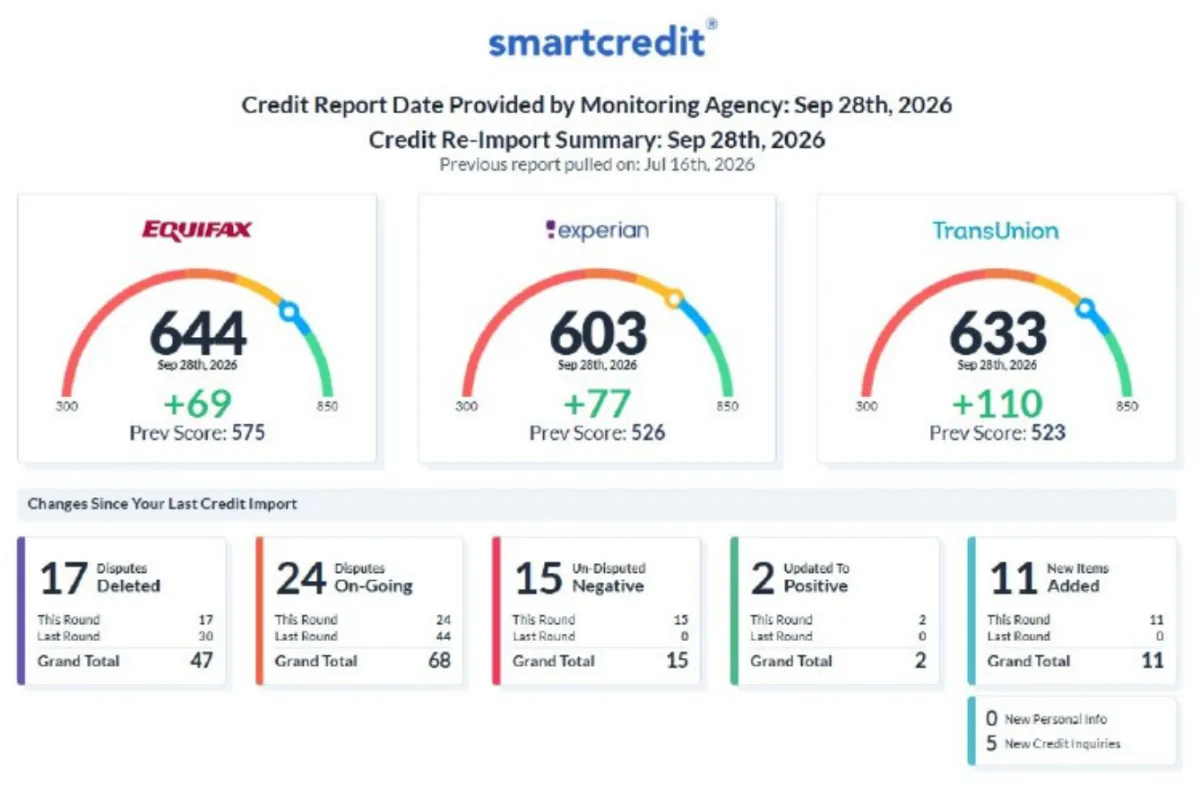
  6. Client file 06
    BureauBeforeAfterChange
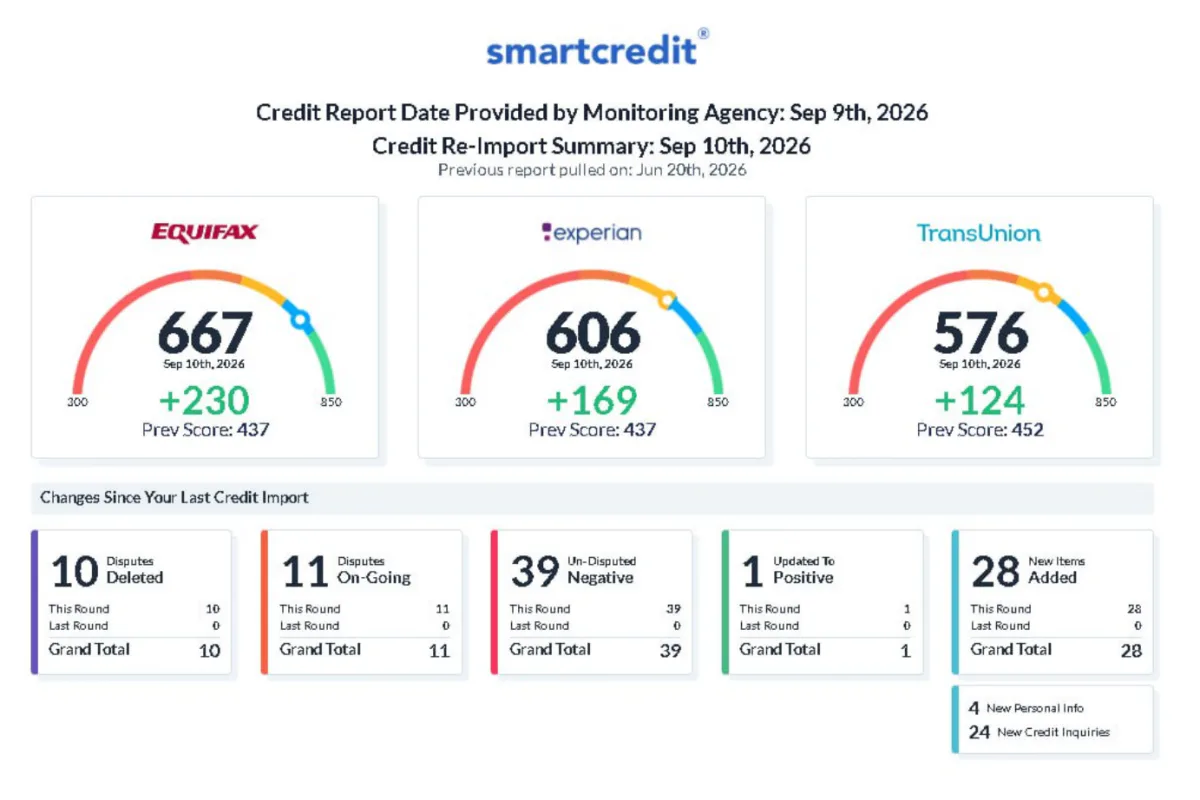
    Equifax437667+230
    Experian437606+169
    TransUnion452576+124
    Items deleted this round
    10
    Report dates
    Jun 20 → Sep 9, 2026

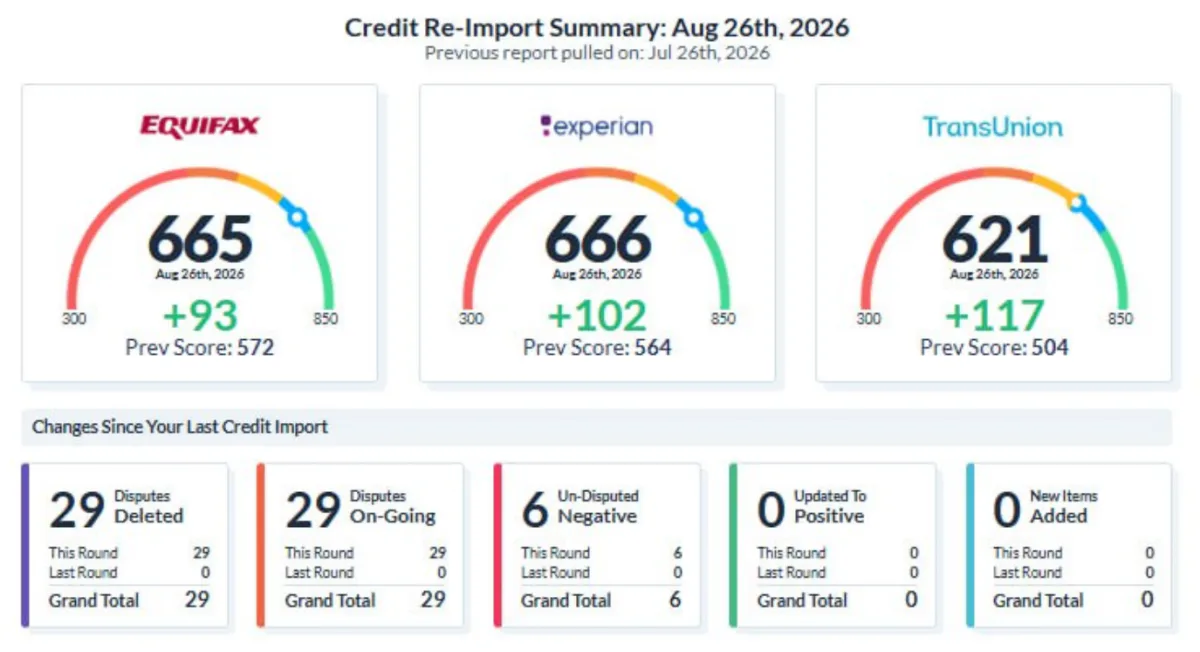
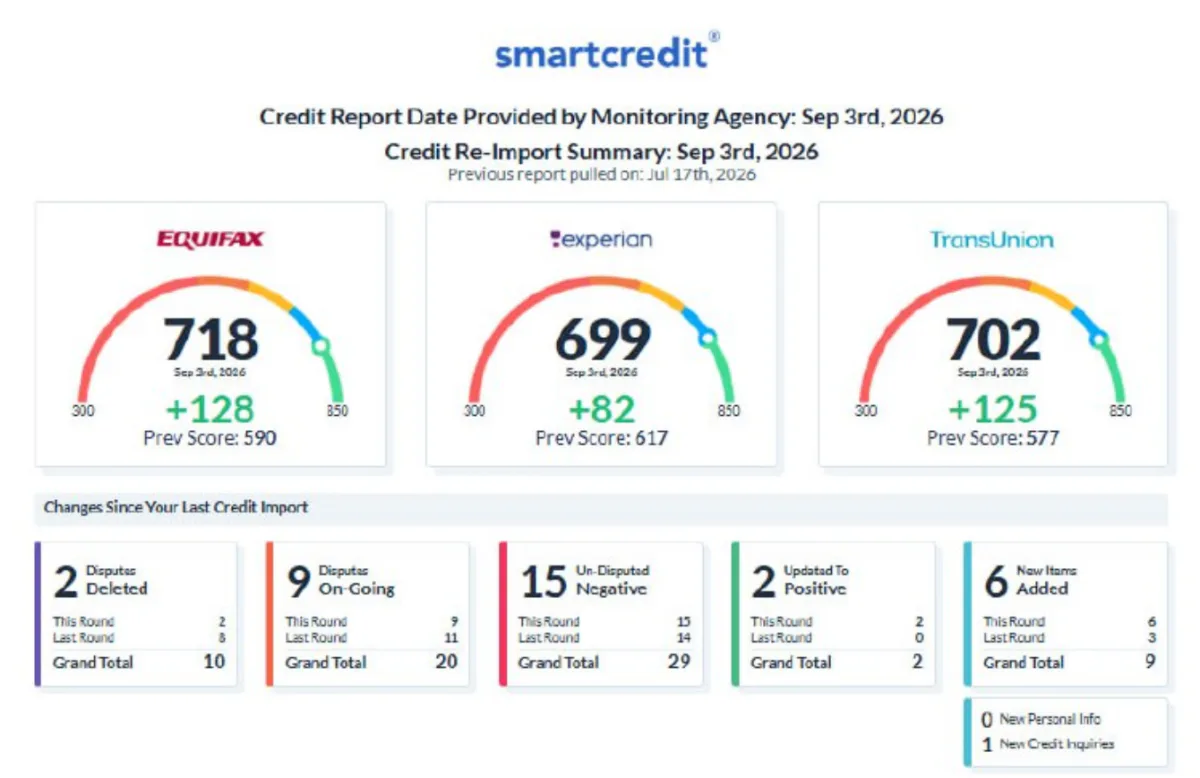
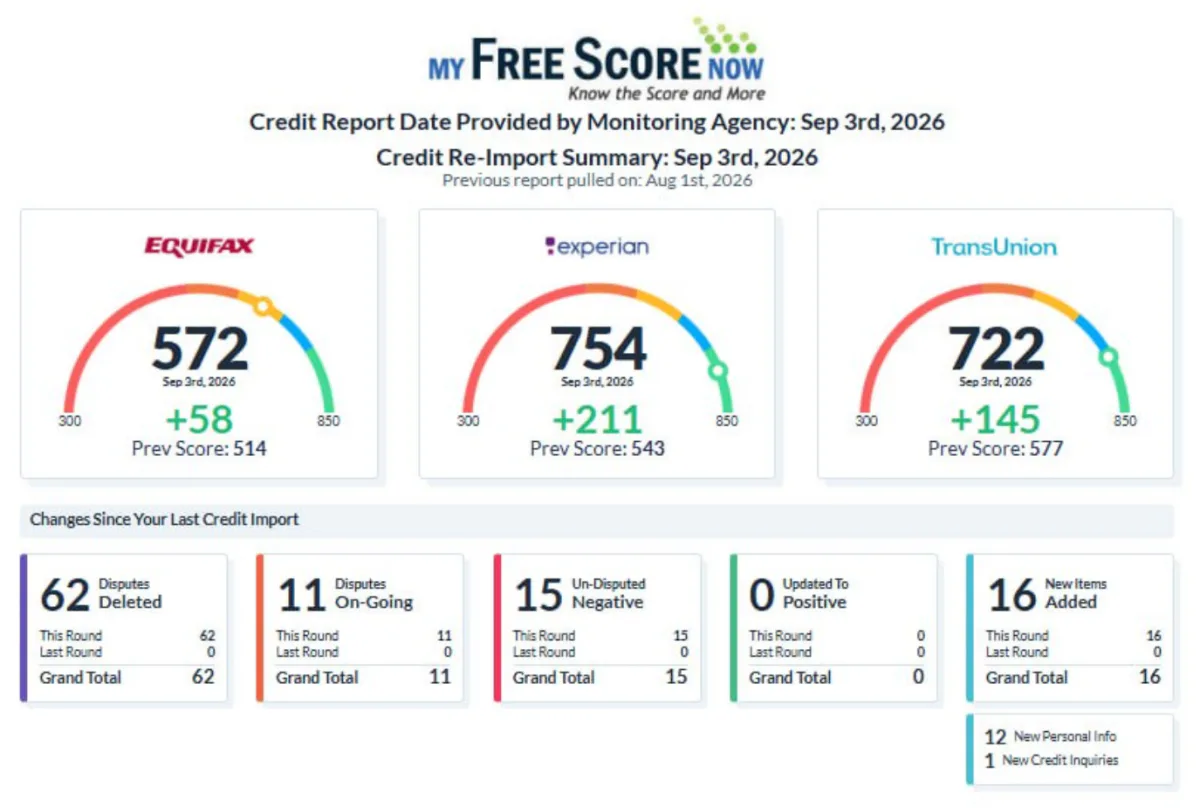
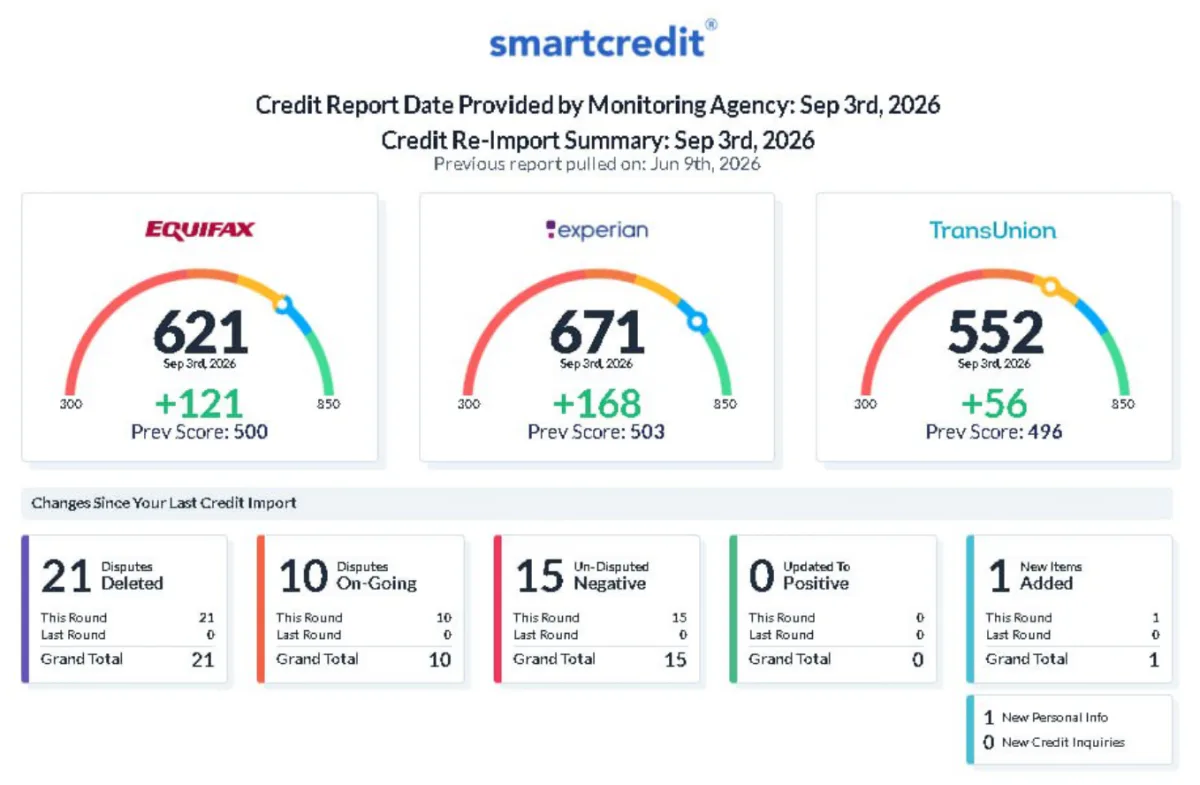
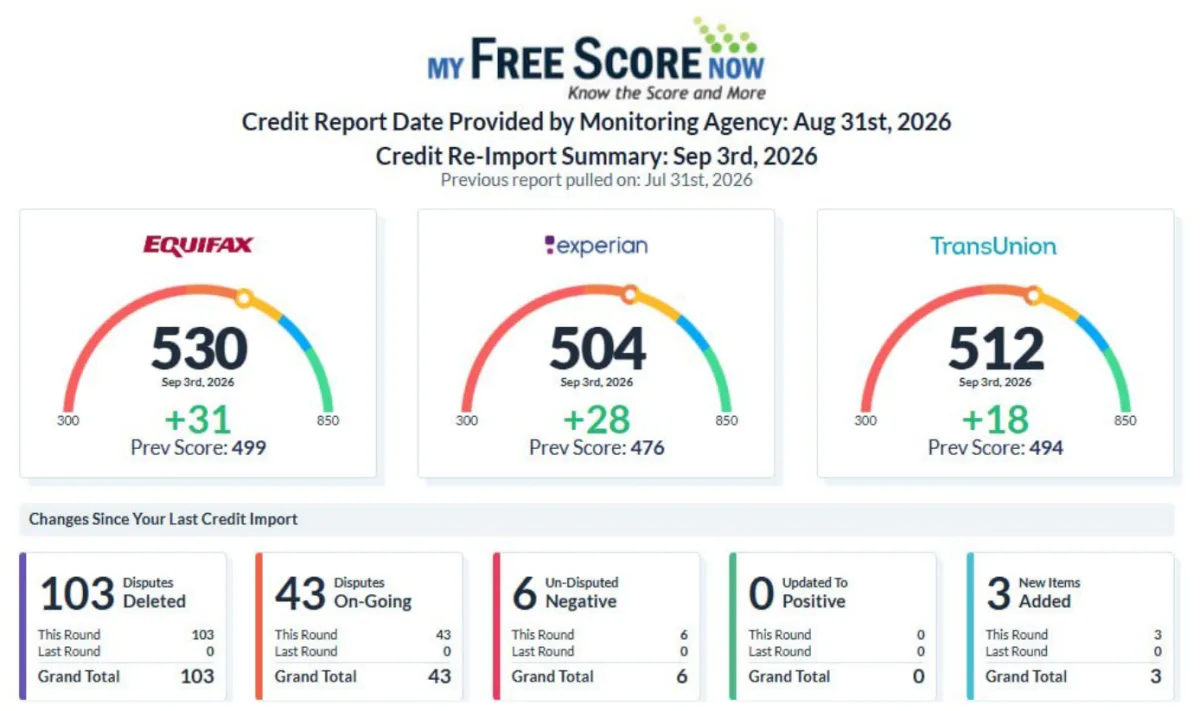
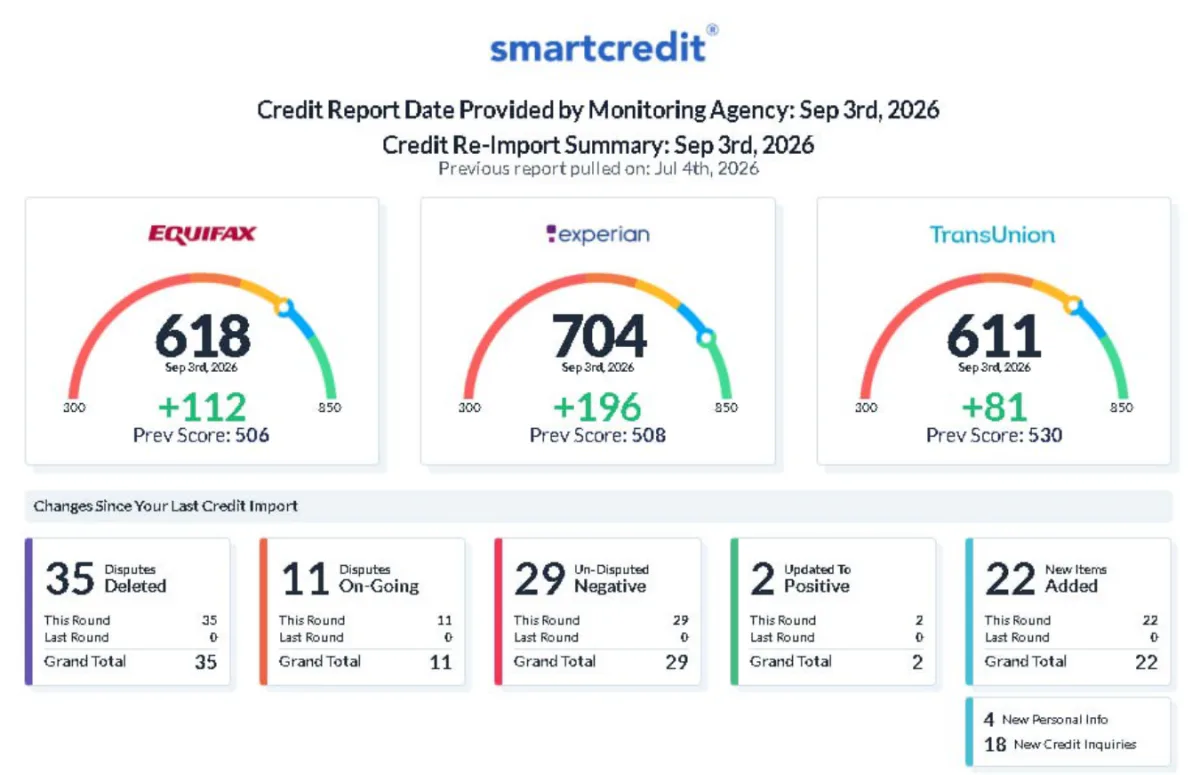
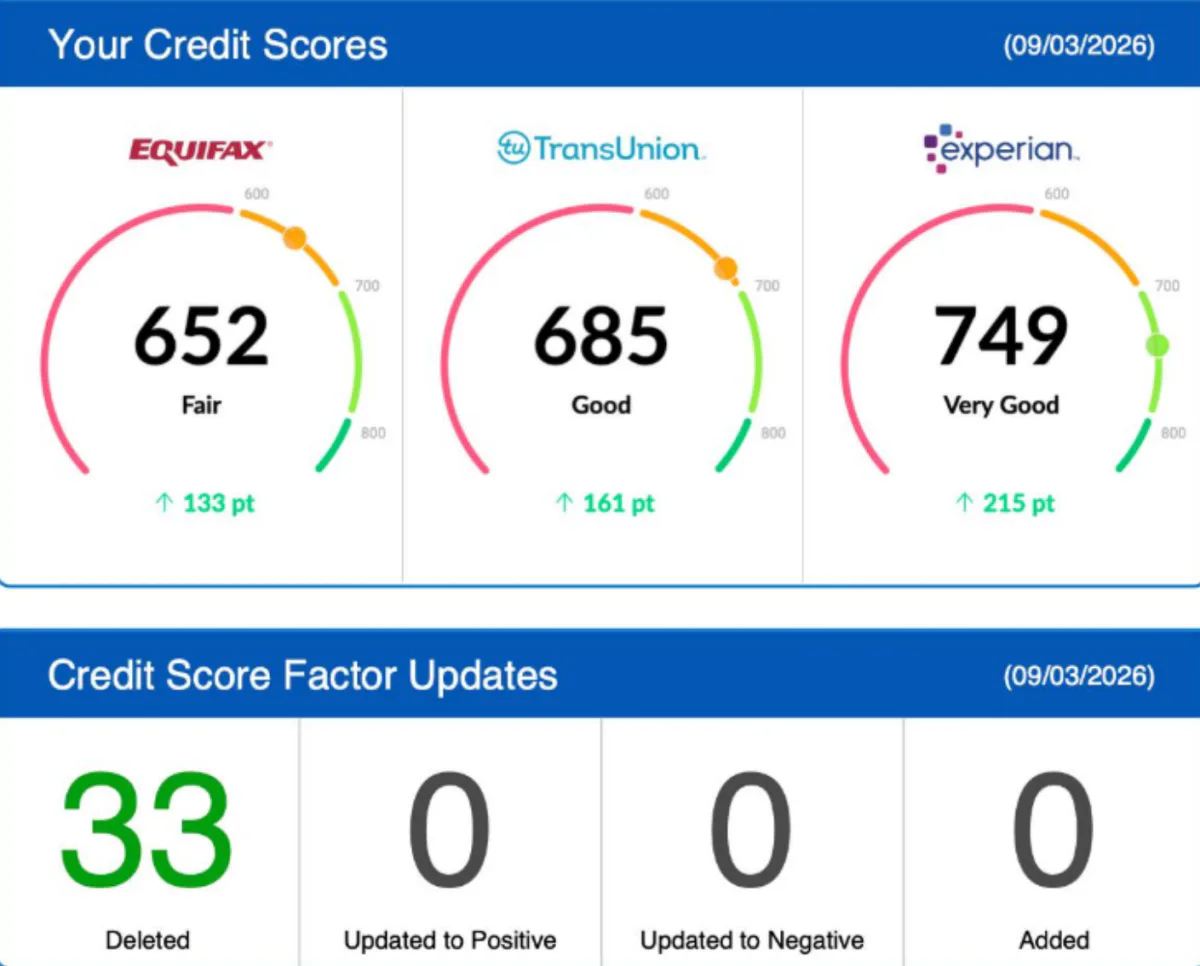
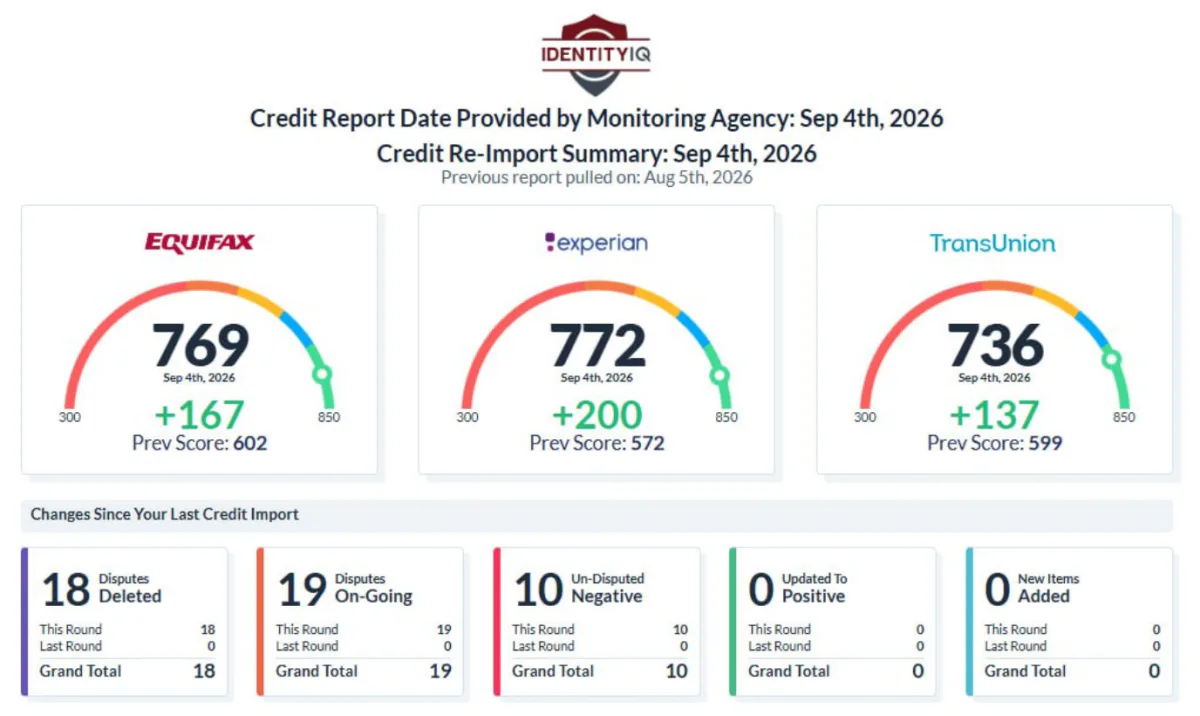
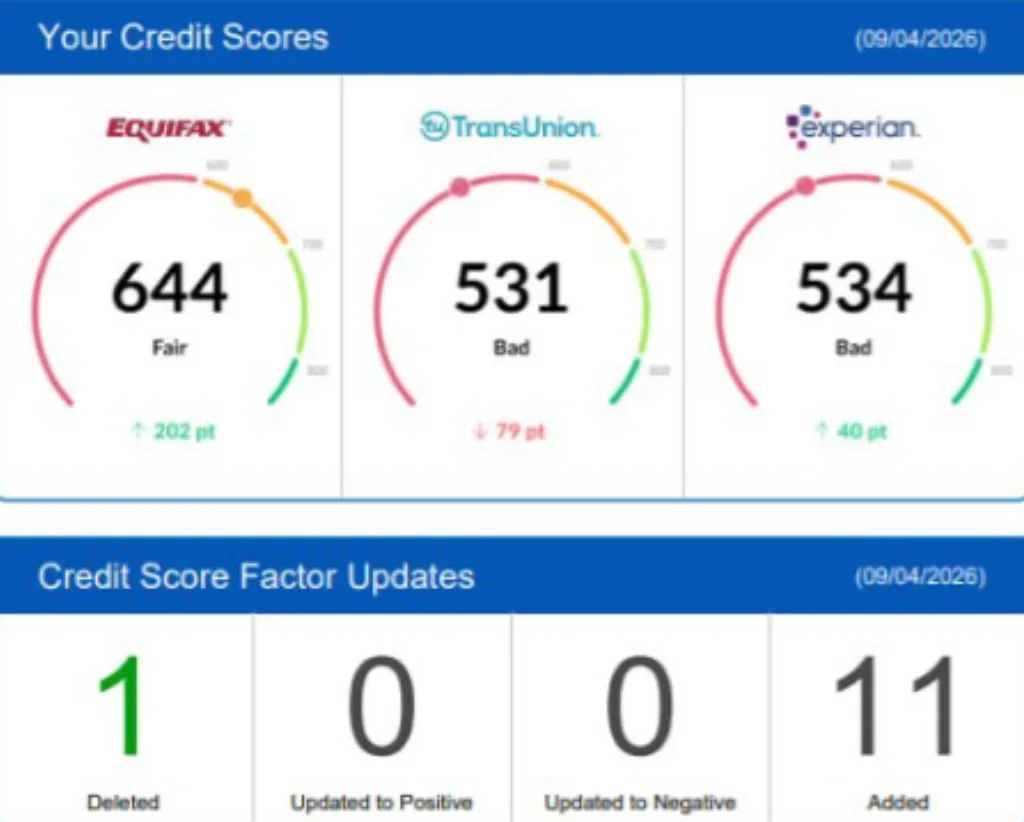
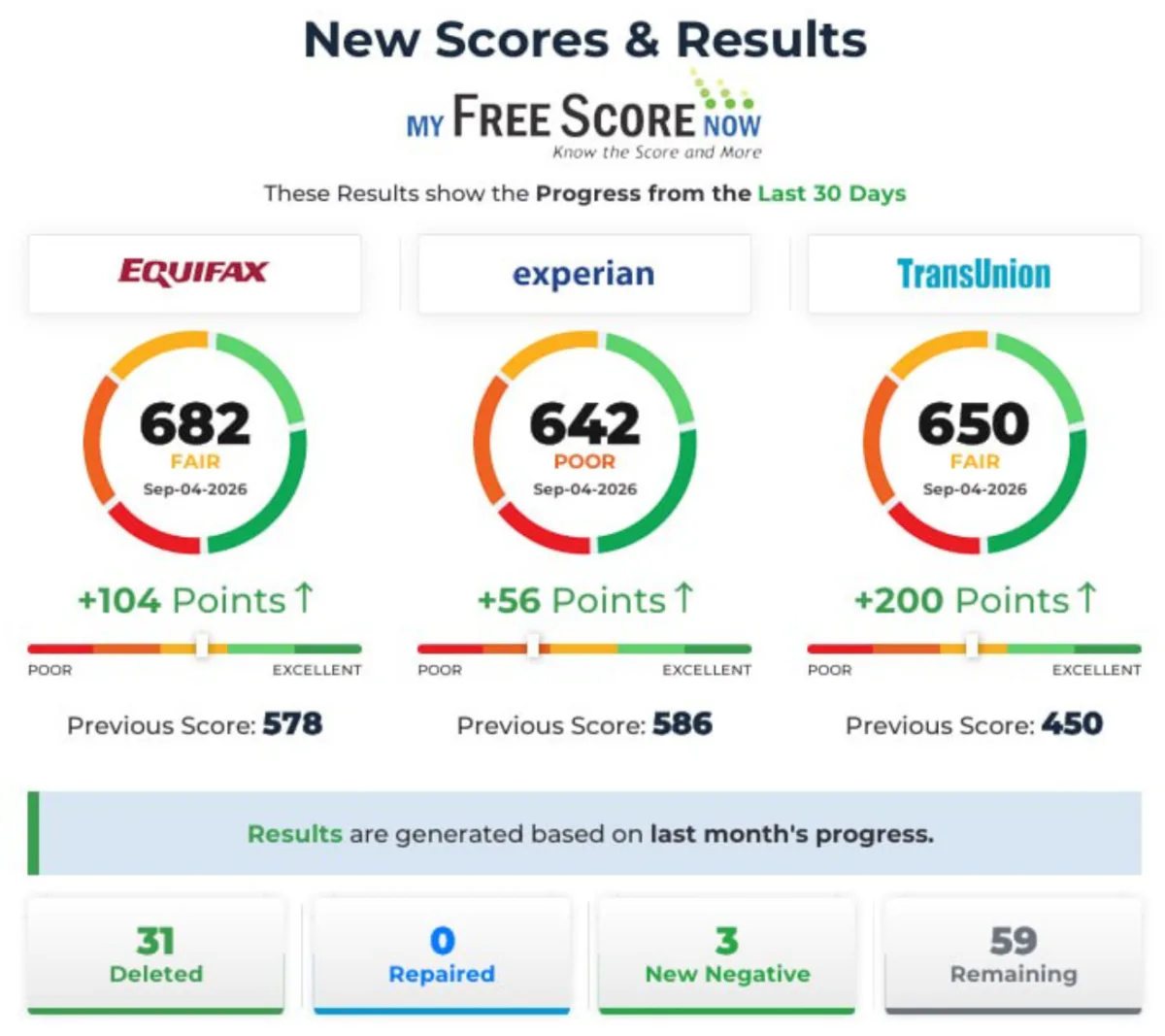
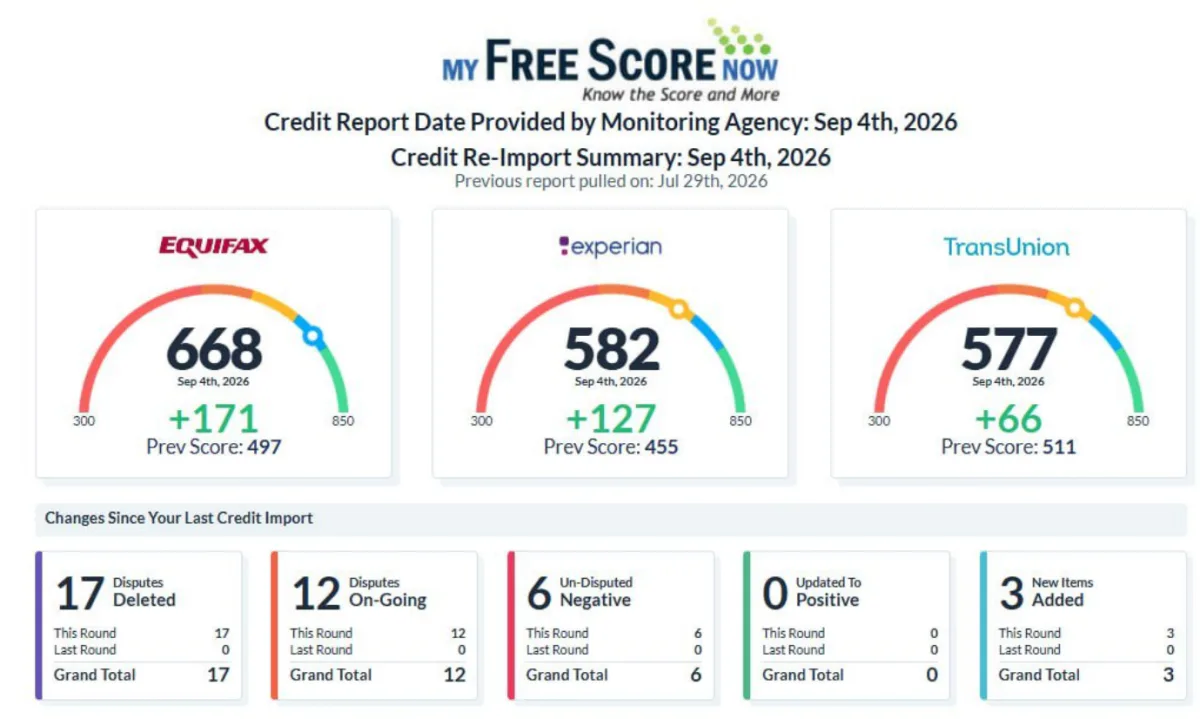
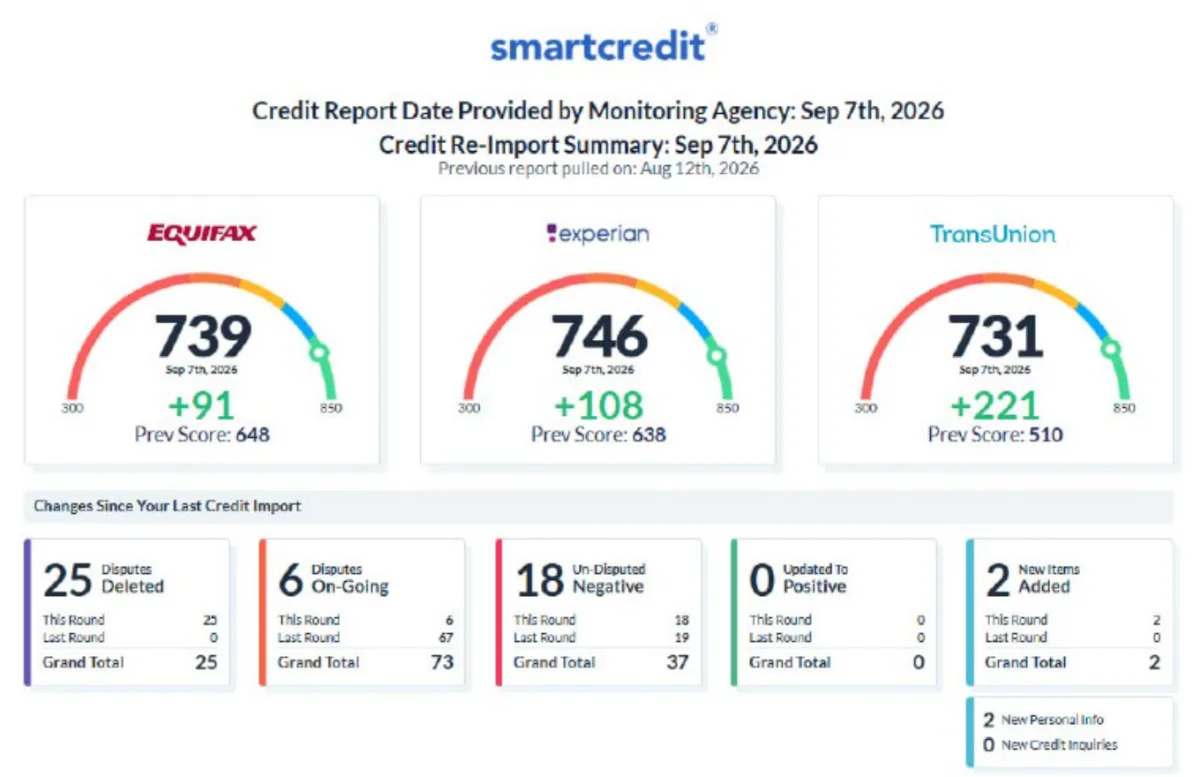
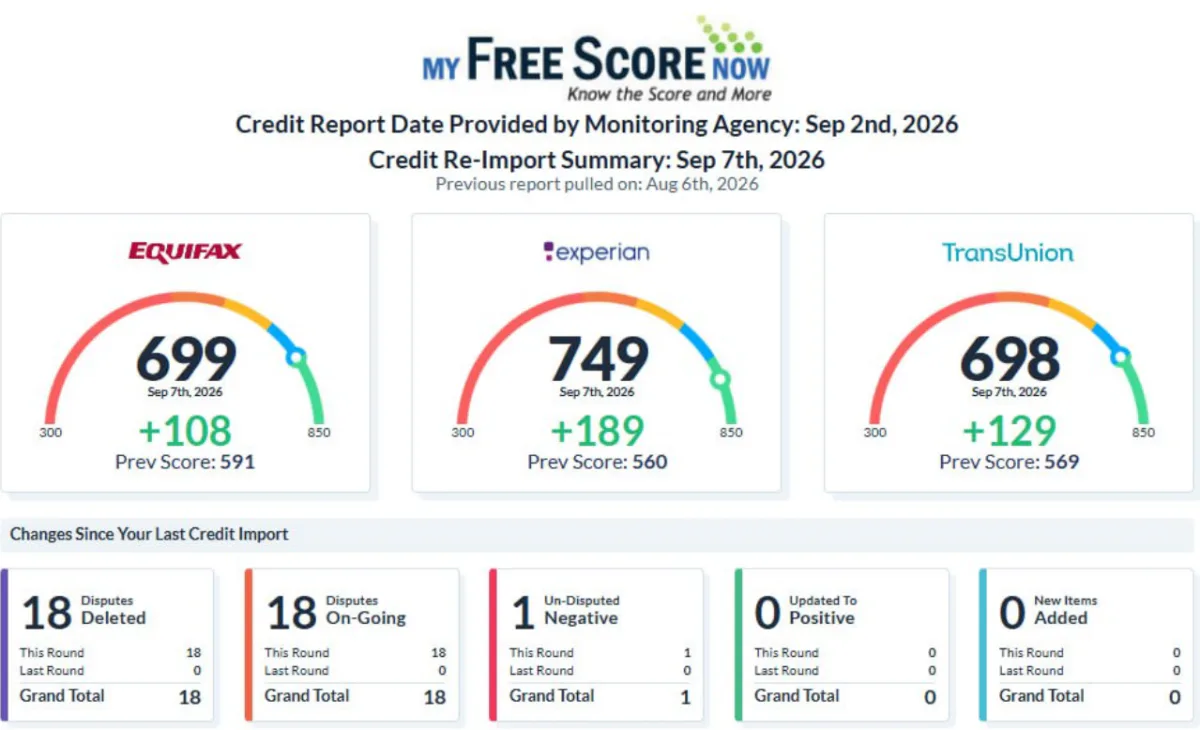
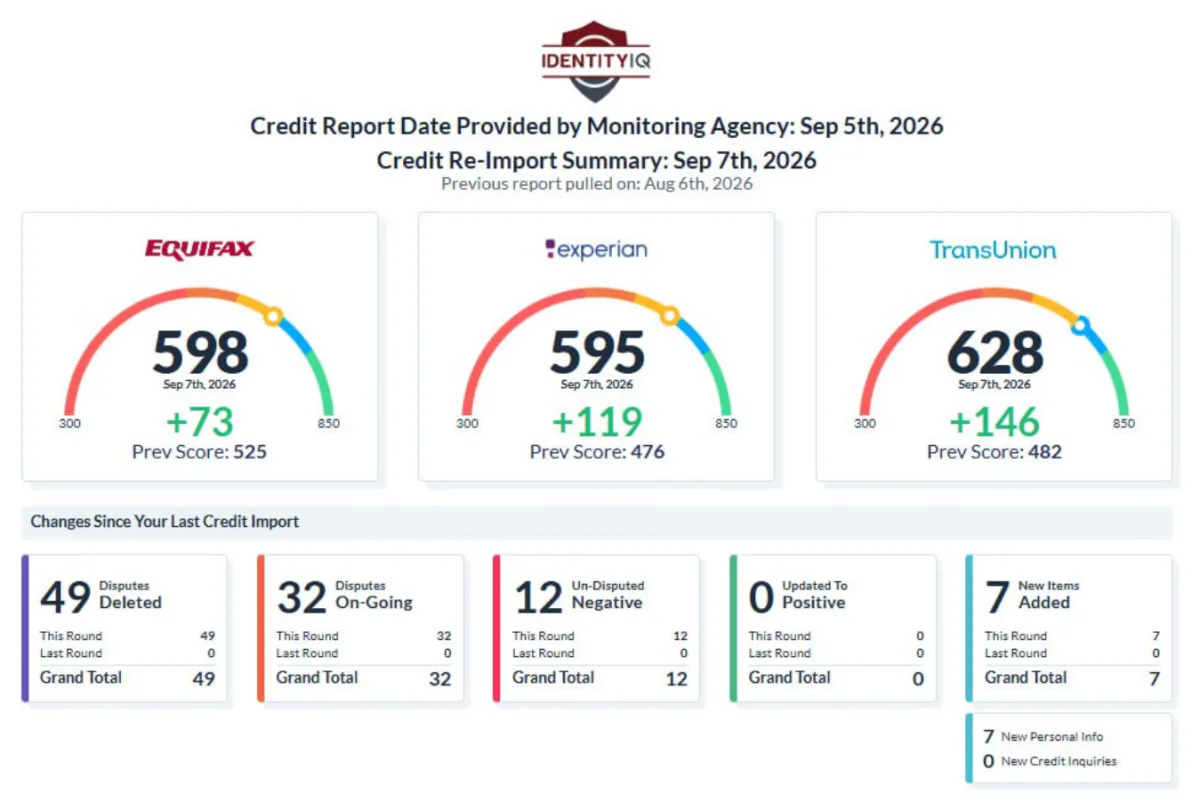
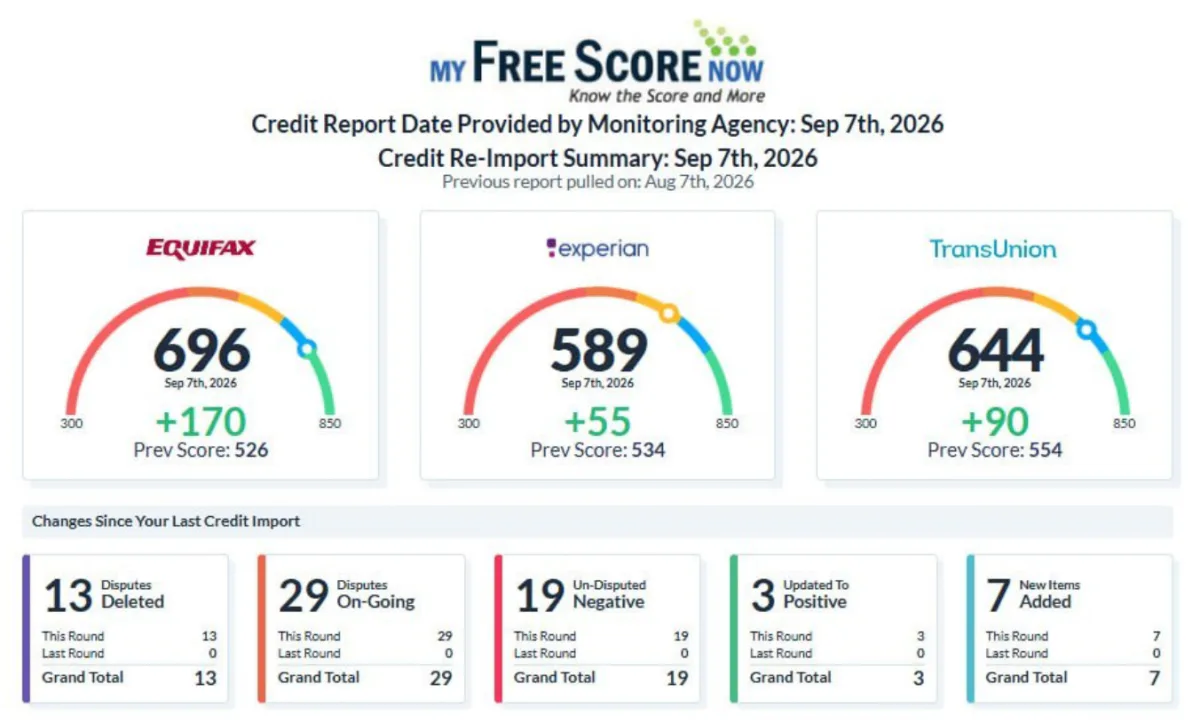
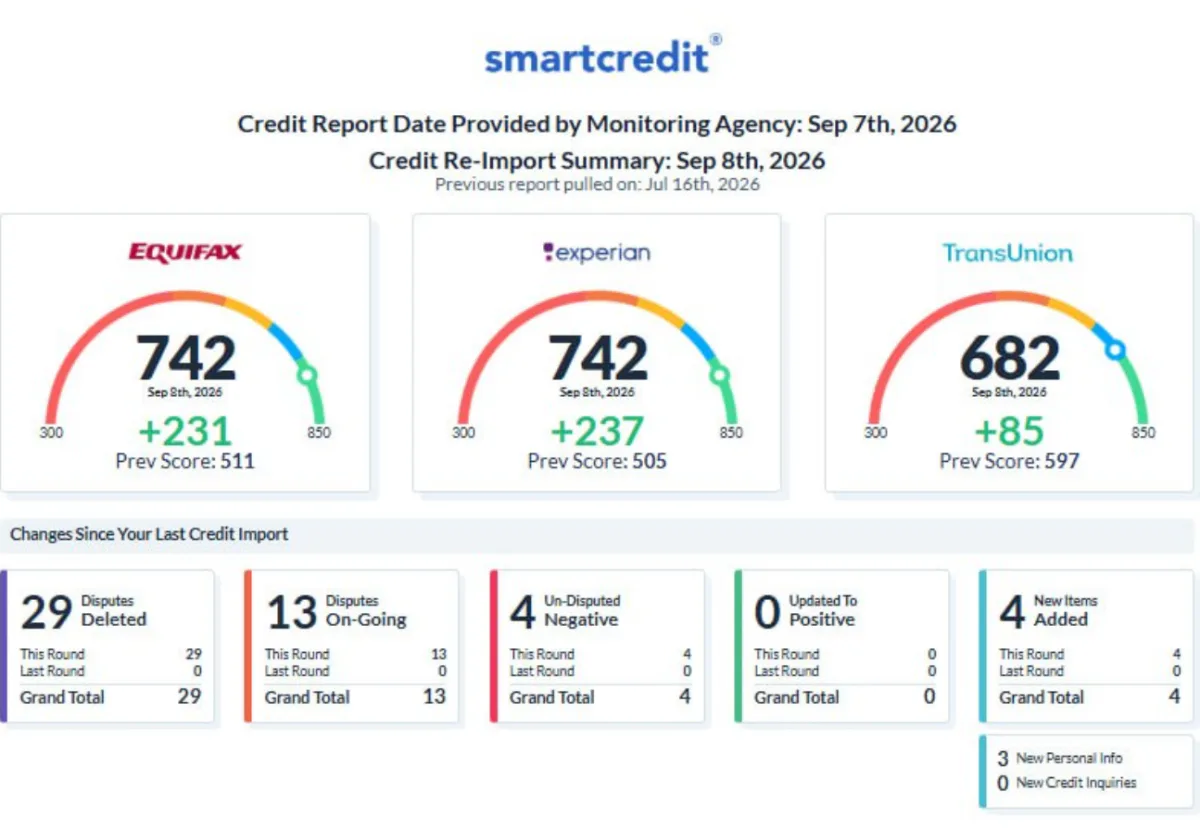
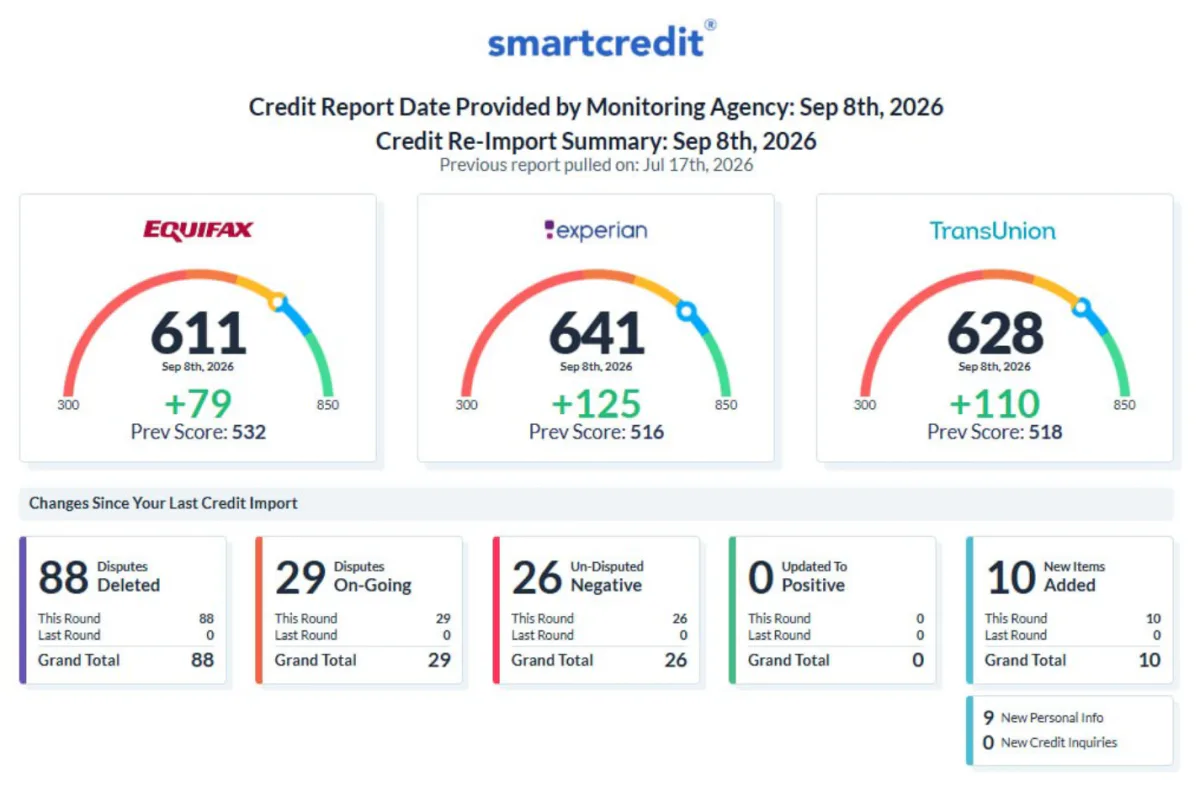
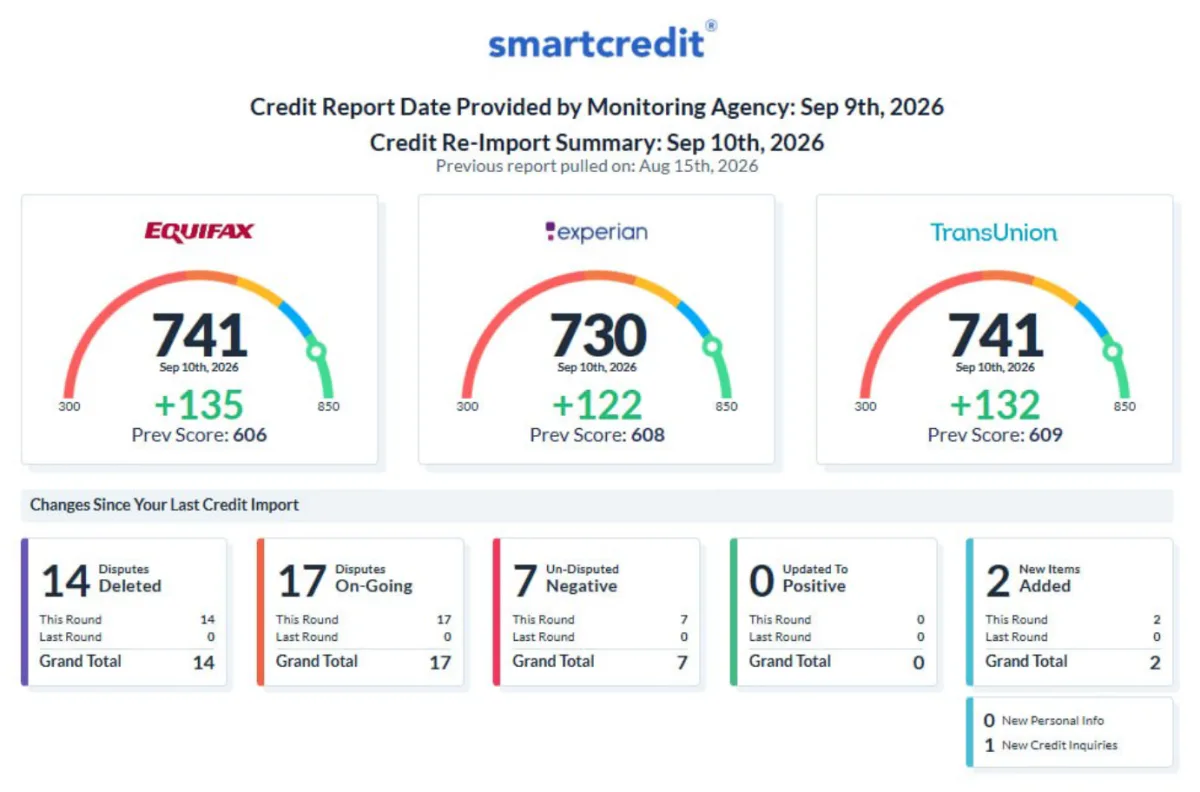
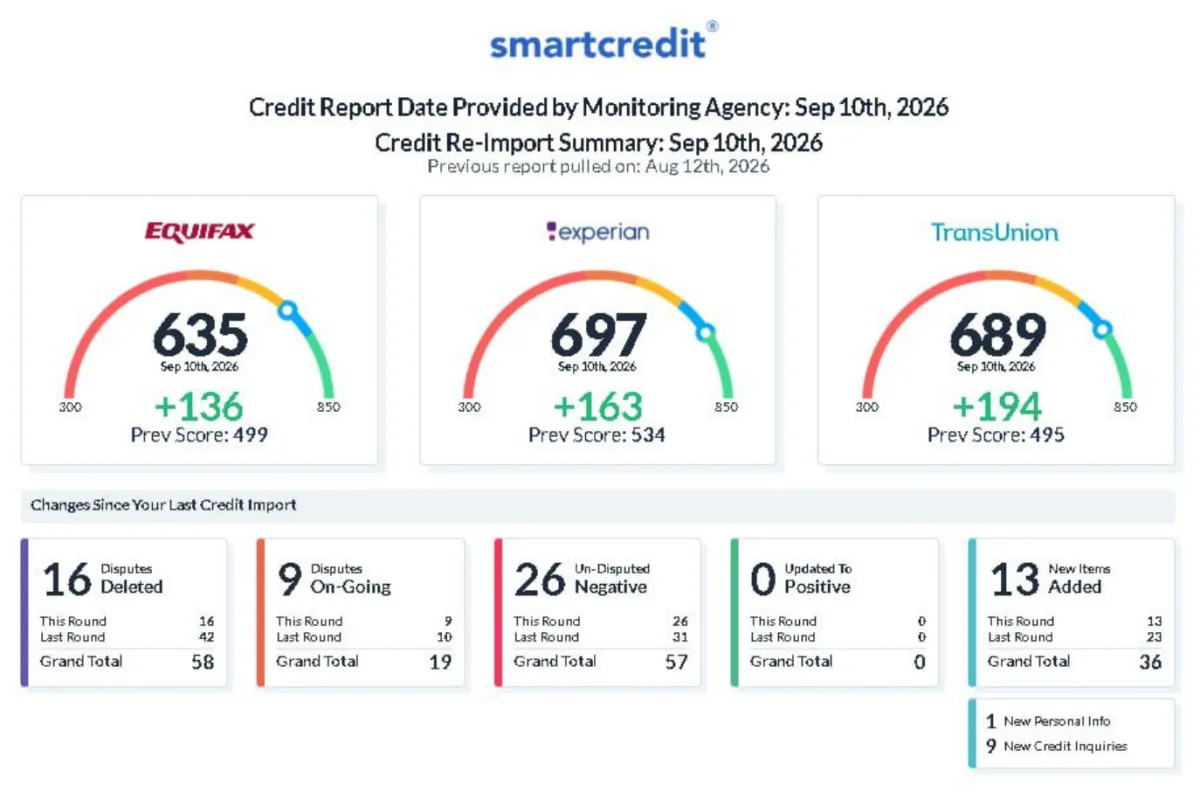
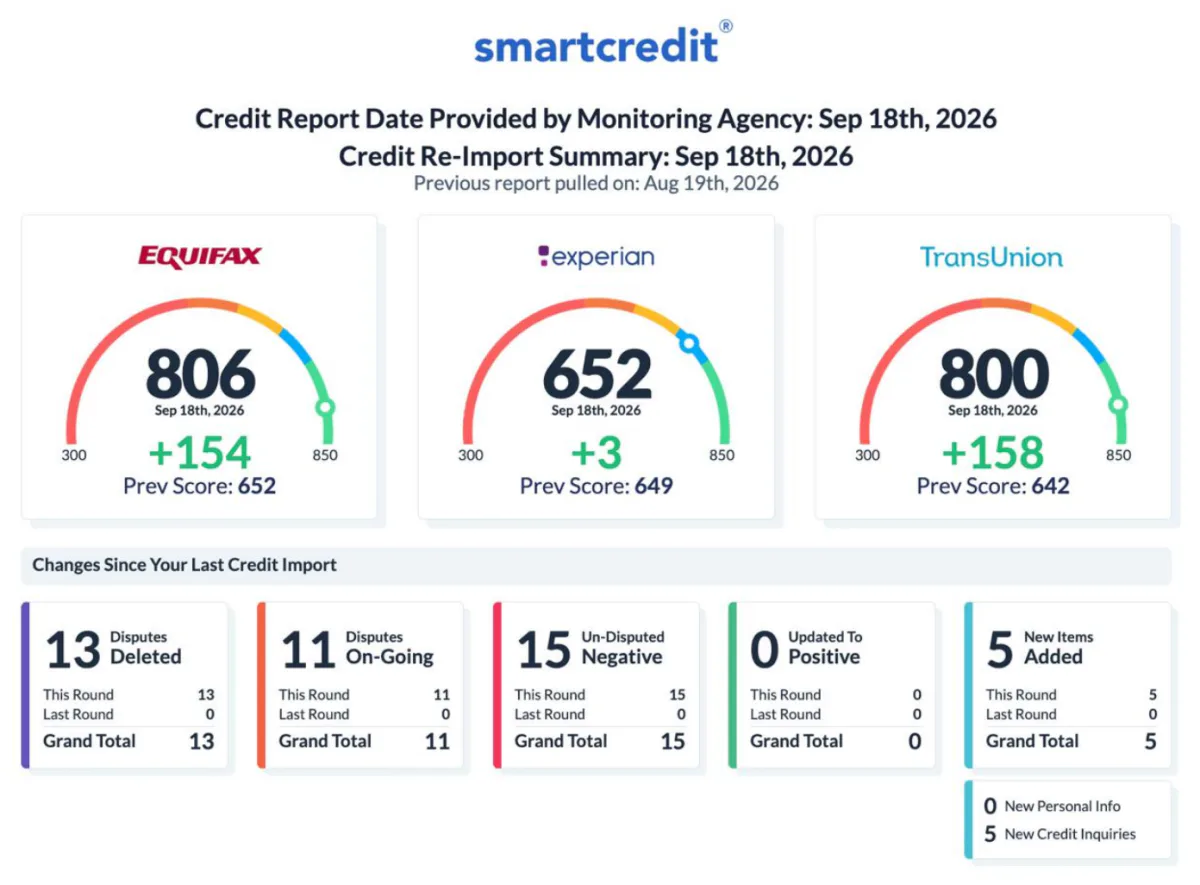
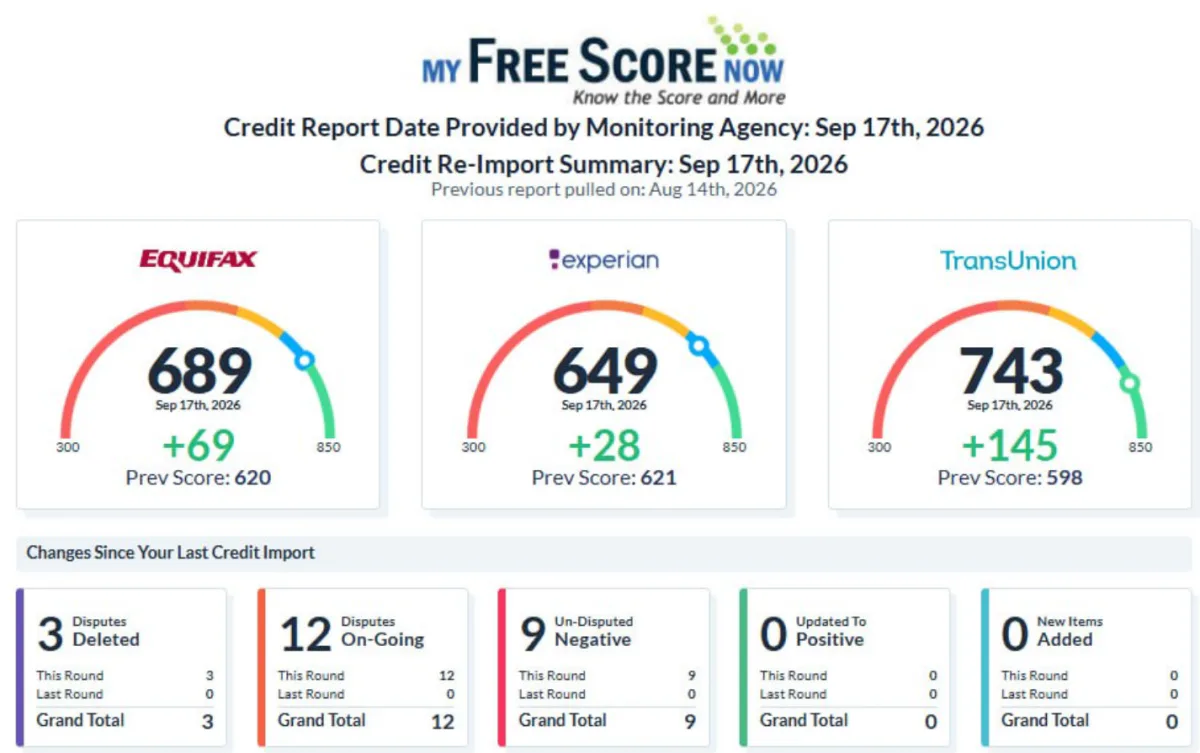
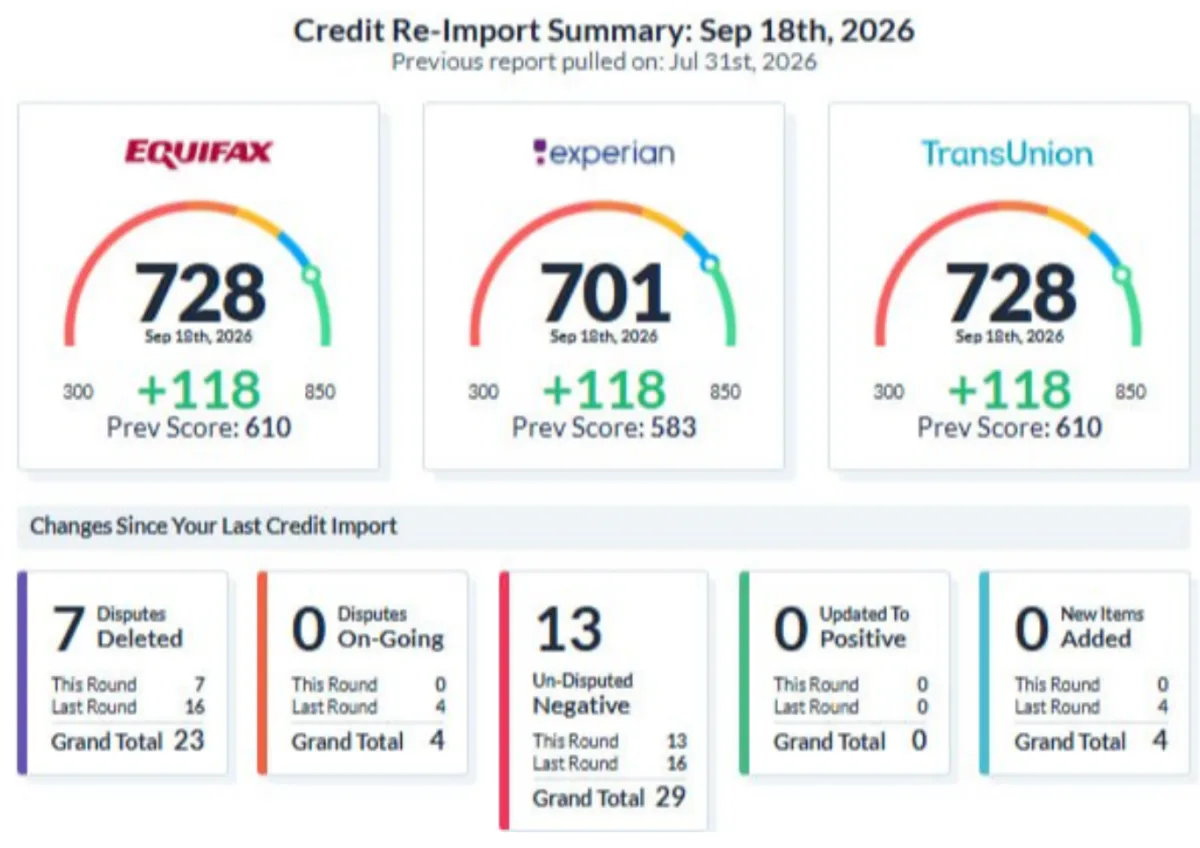
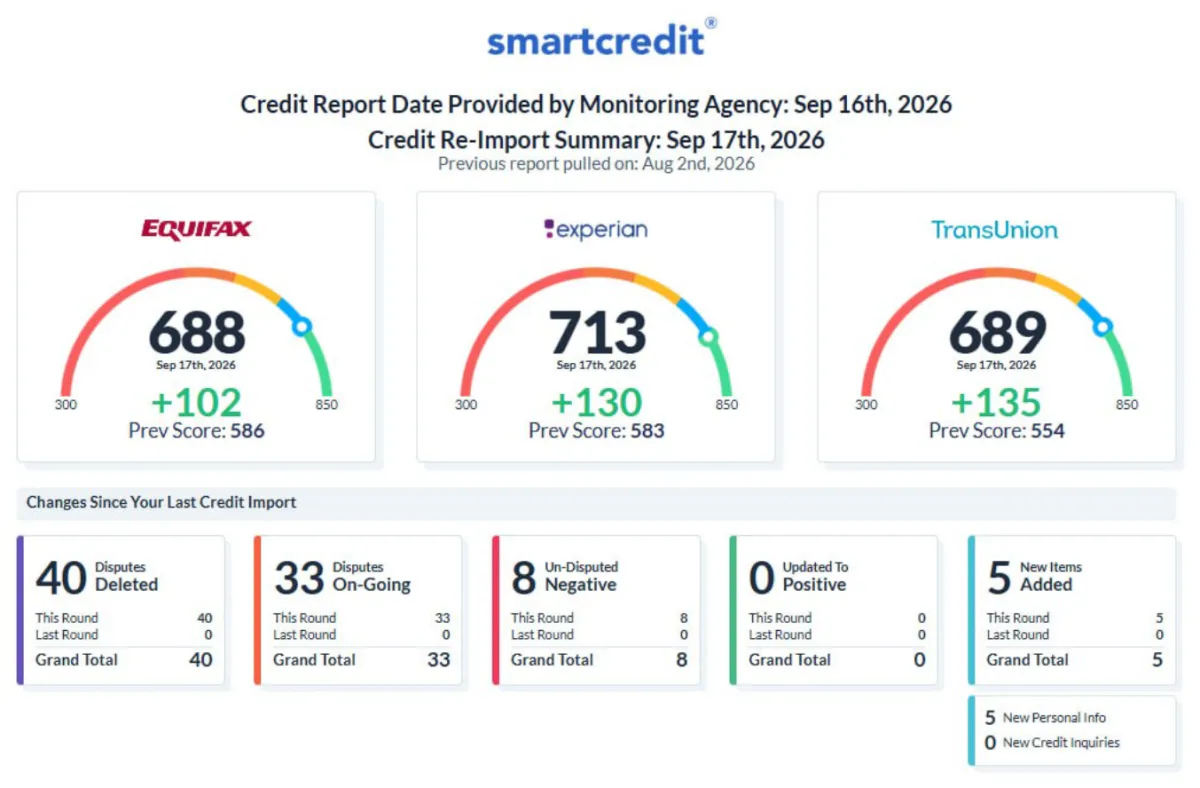
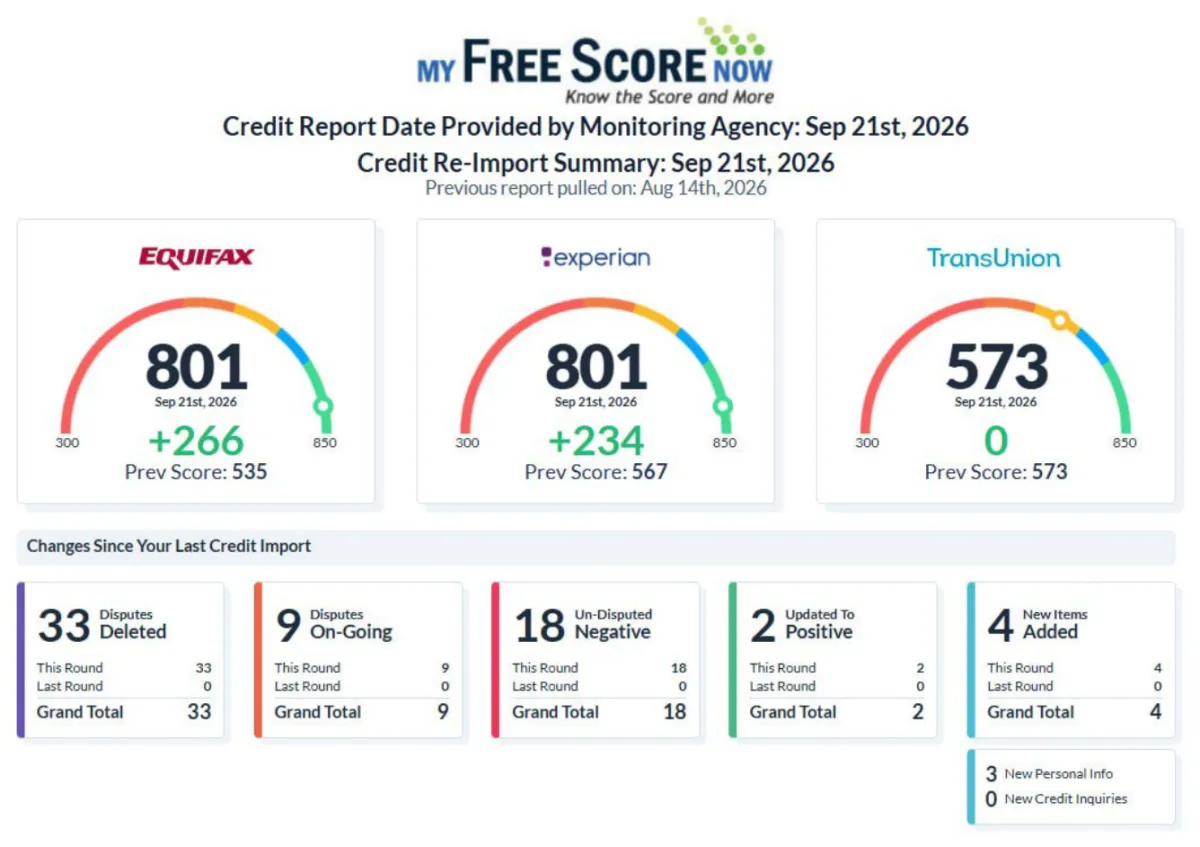
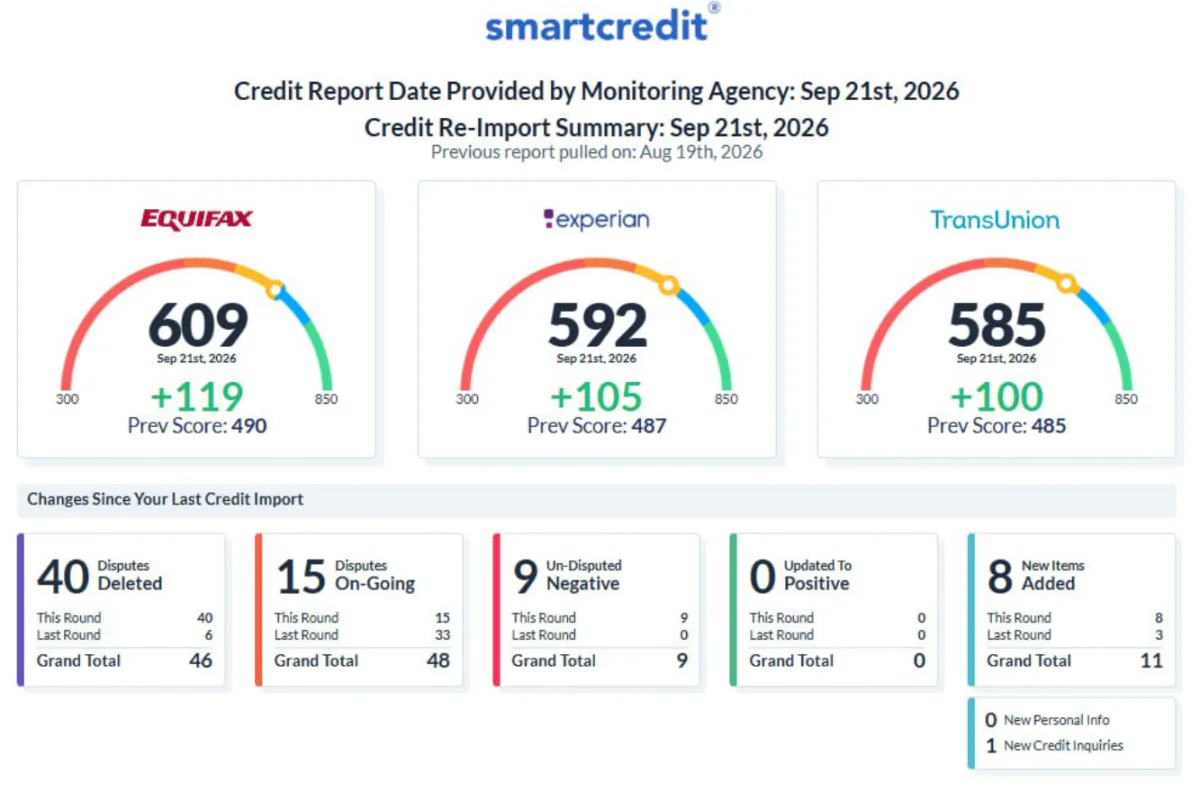
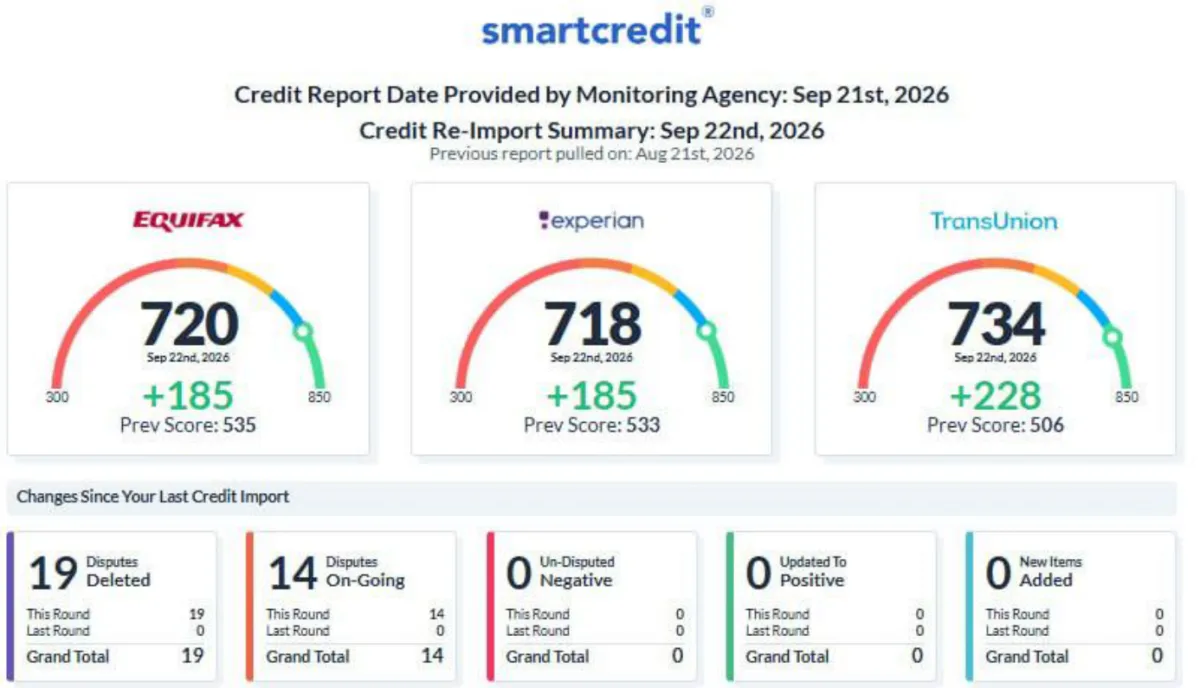
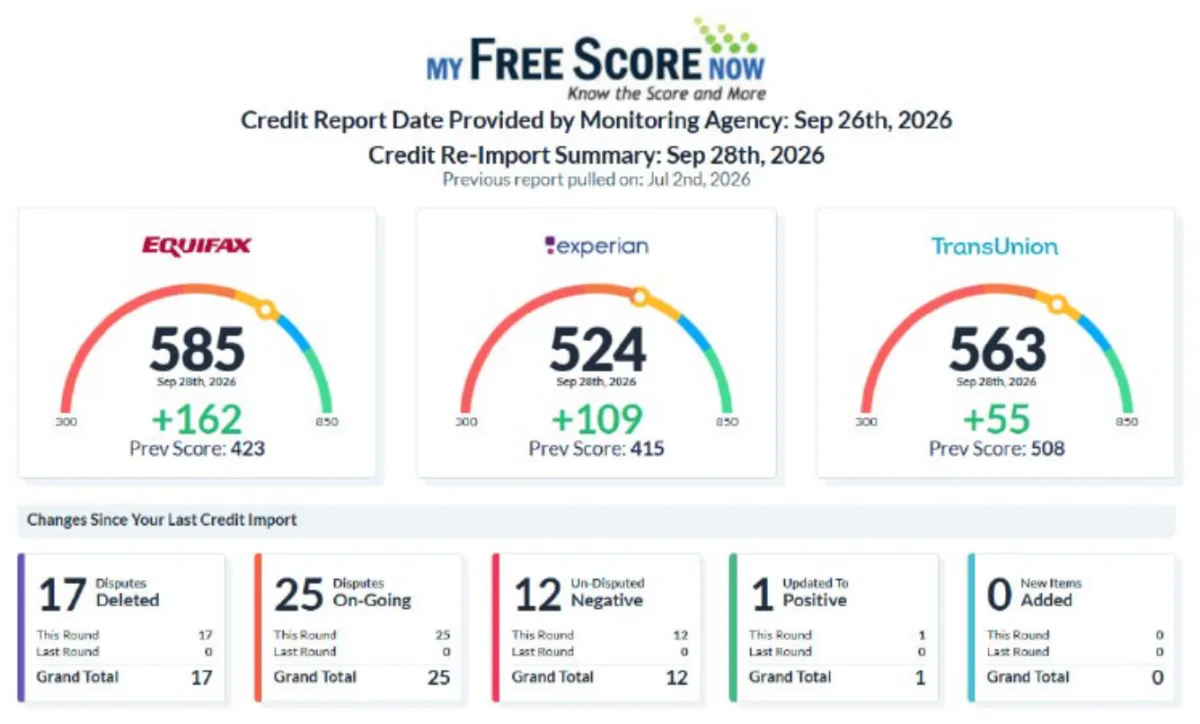
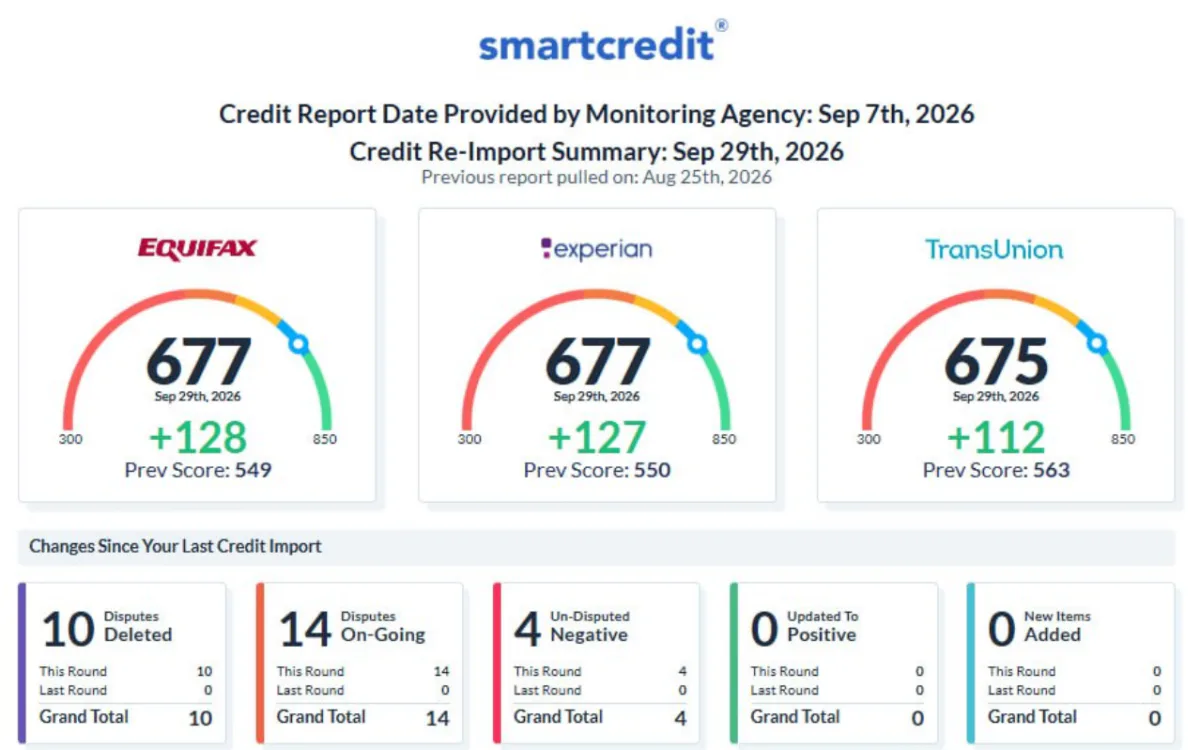
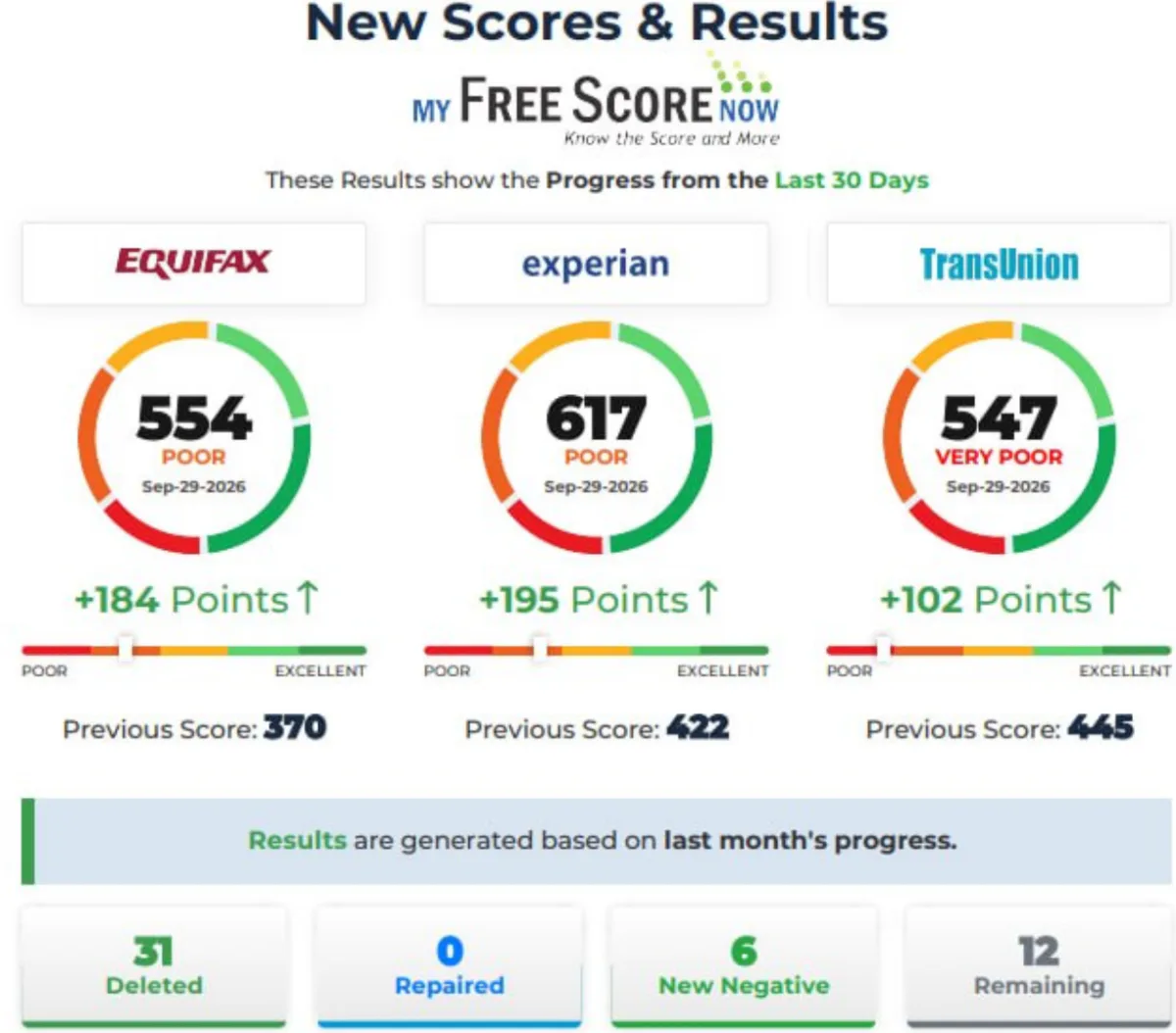
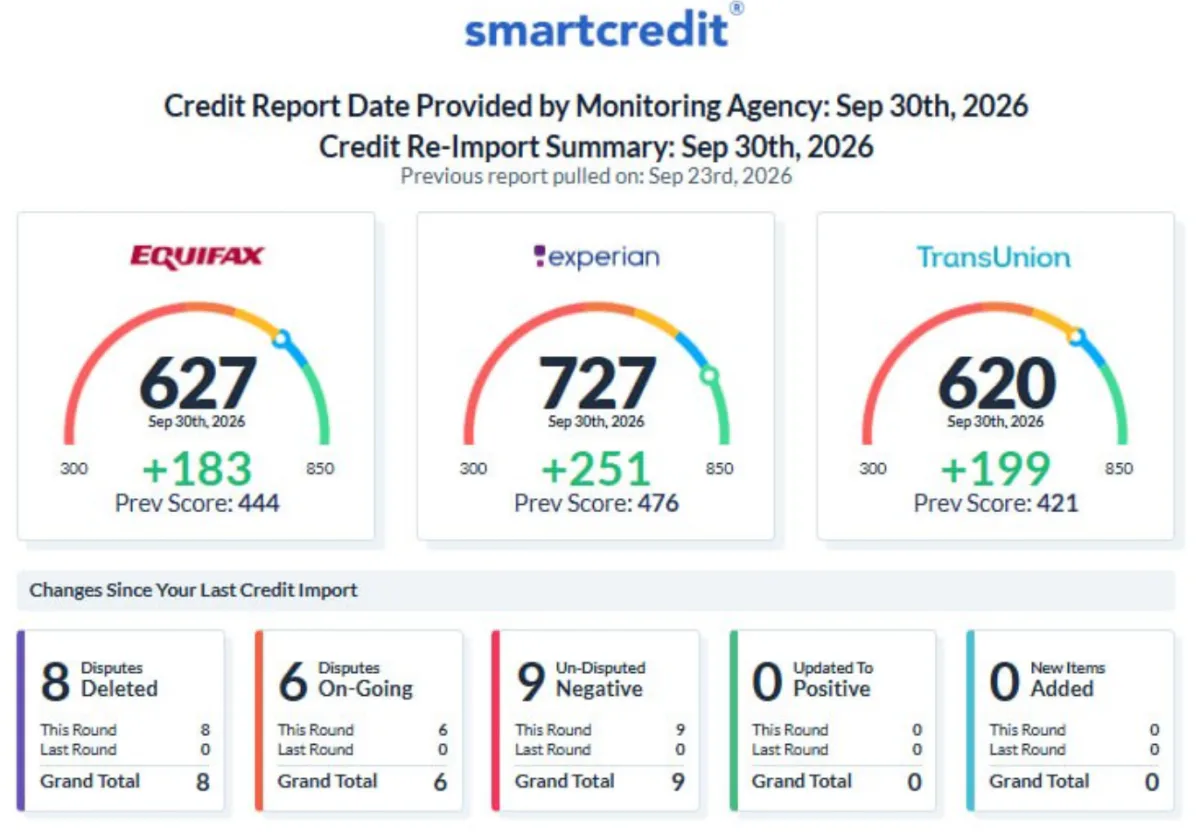
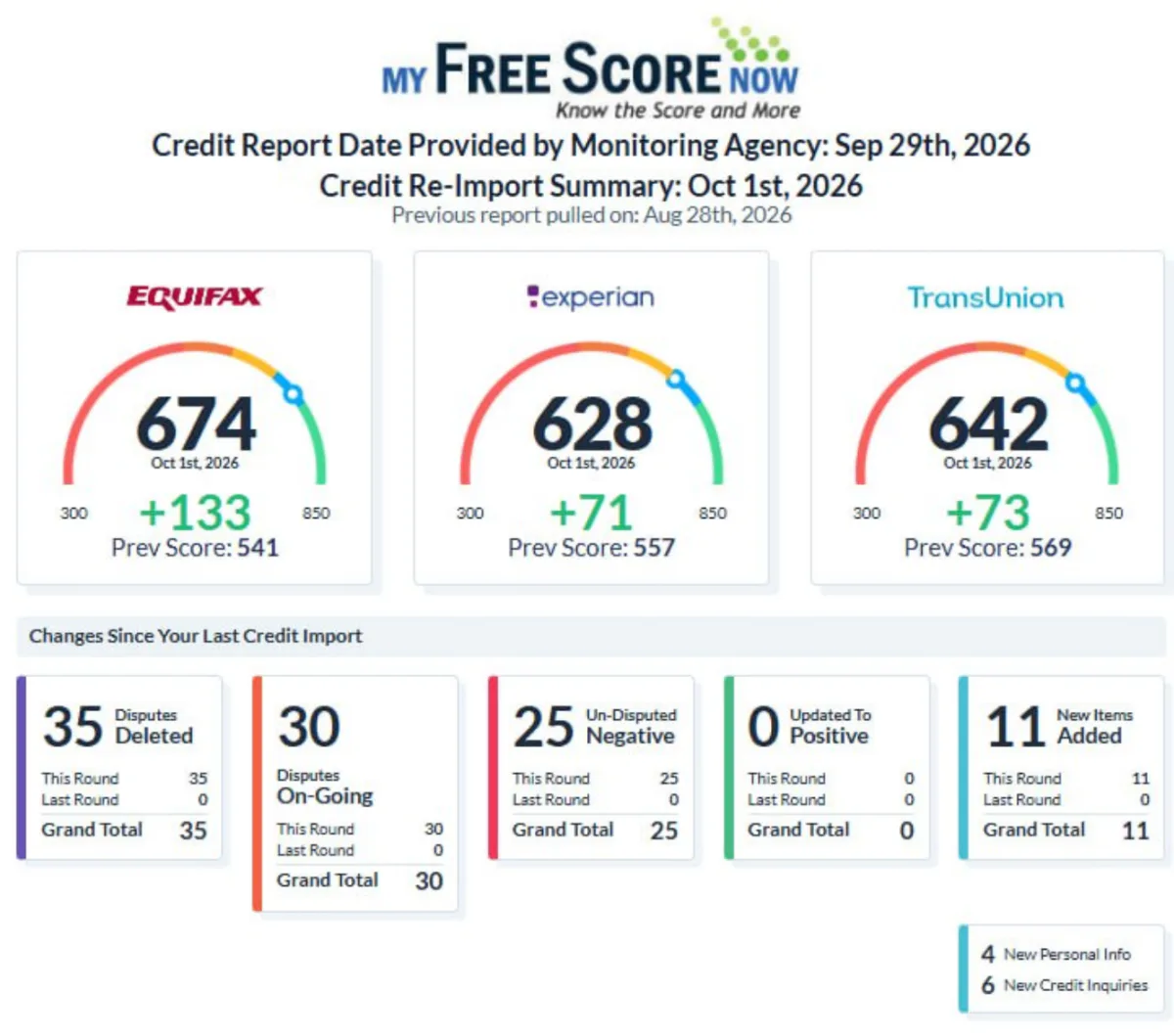
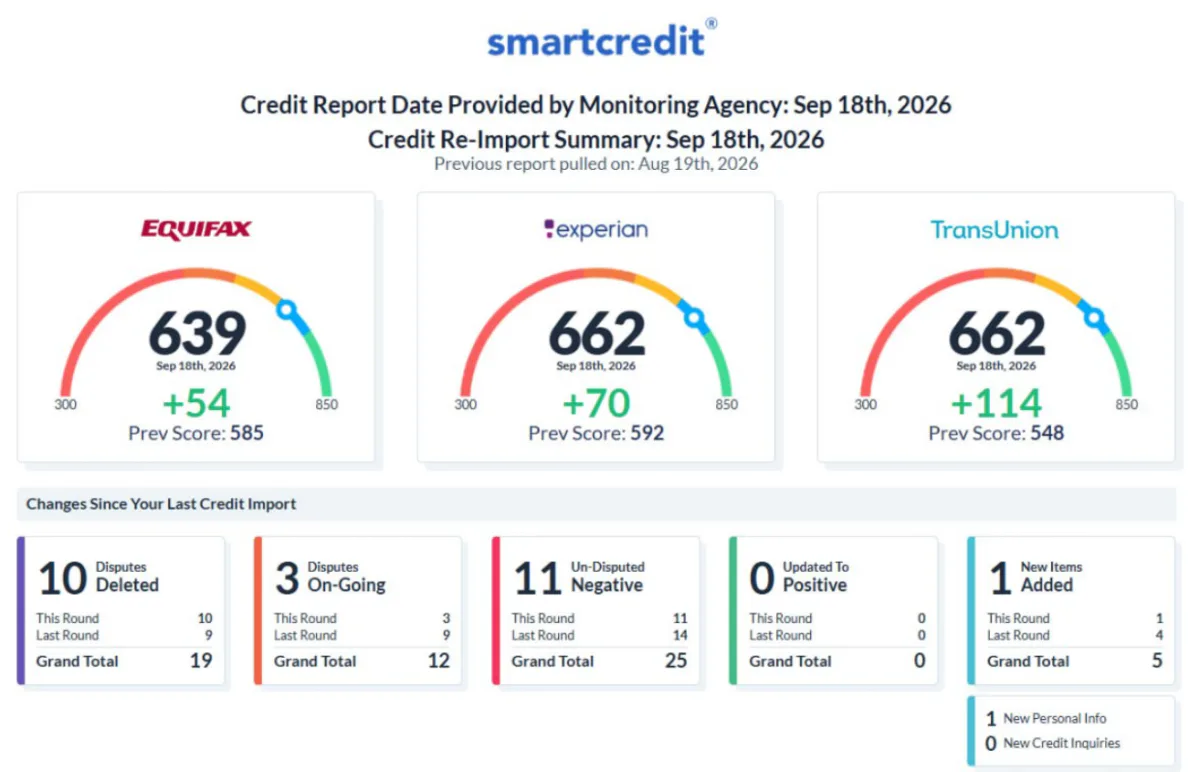
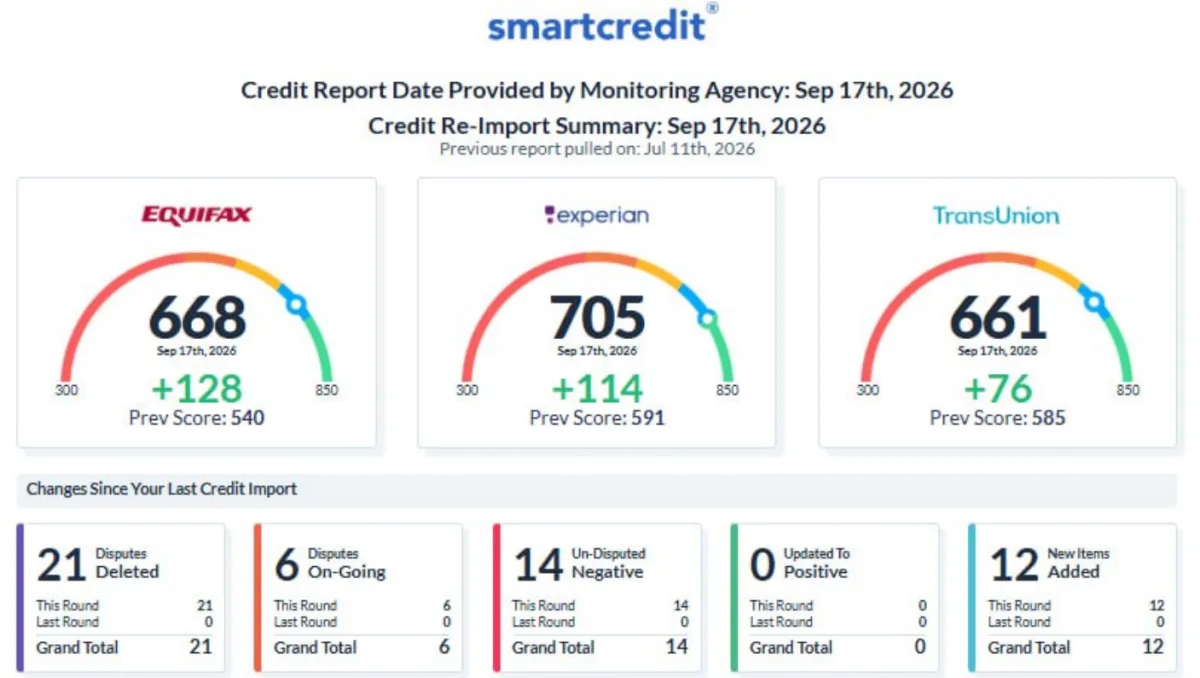
62 of the 65 September files, as screenshots.

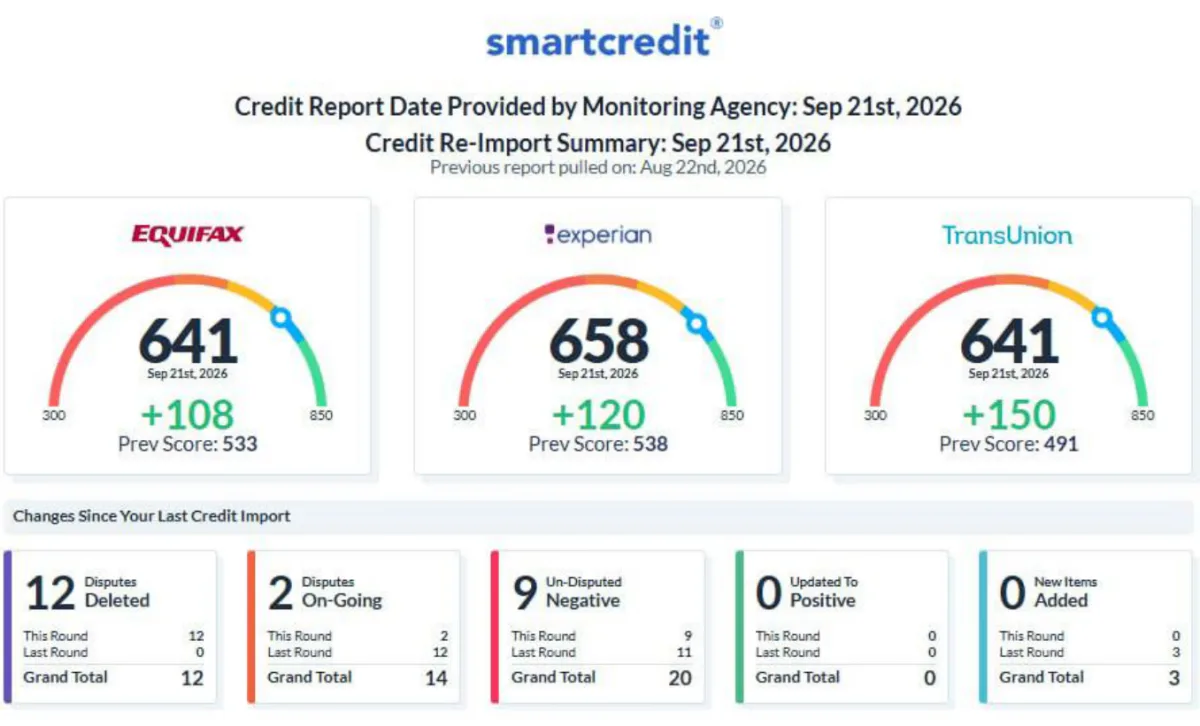
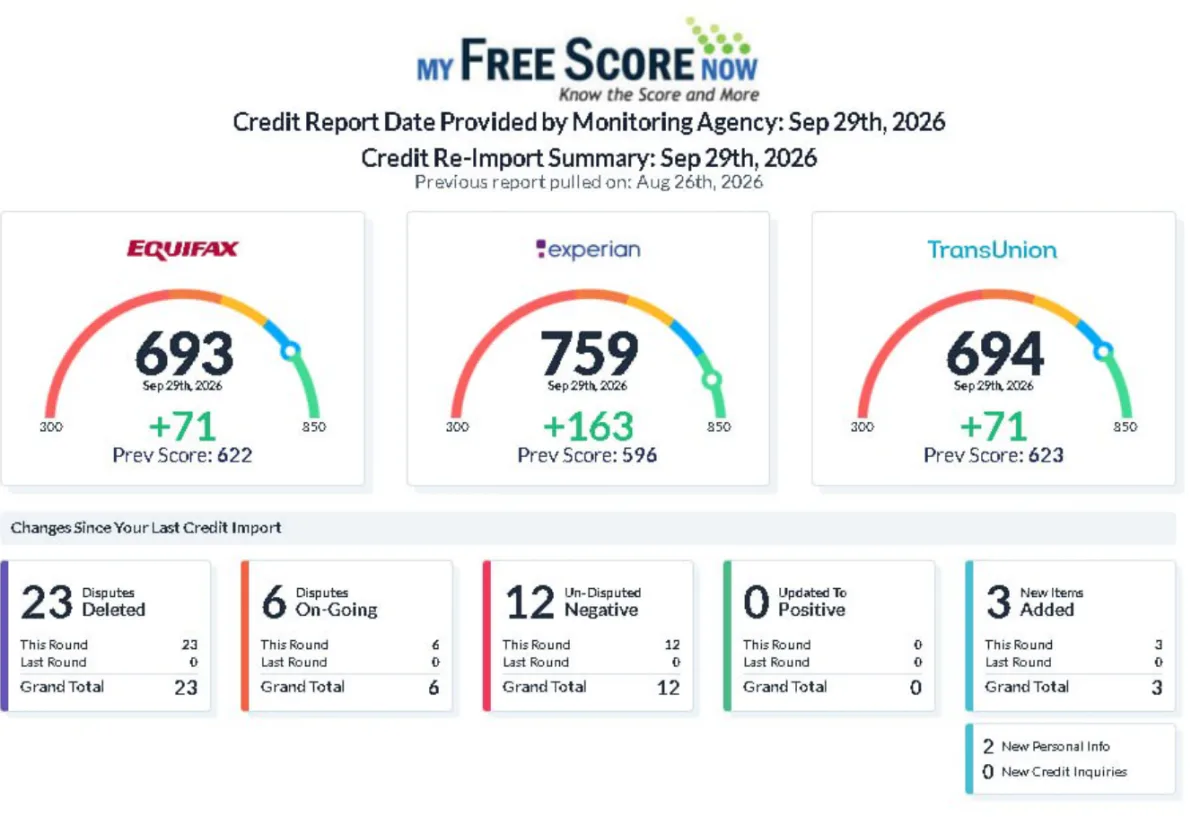
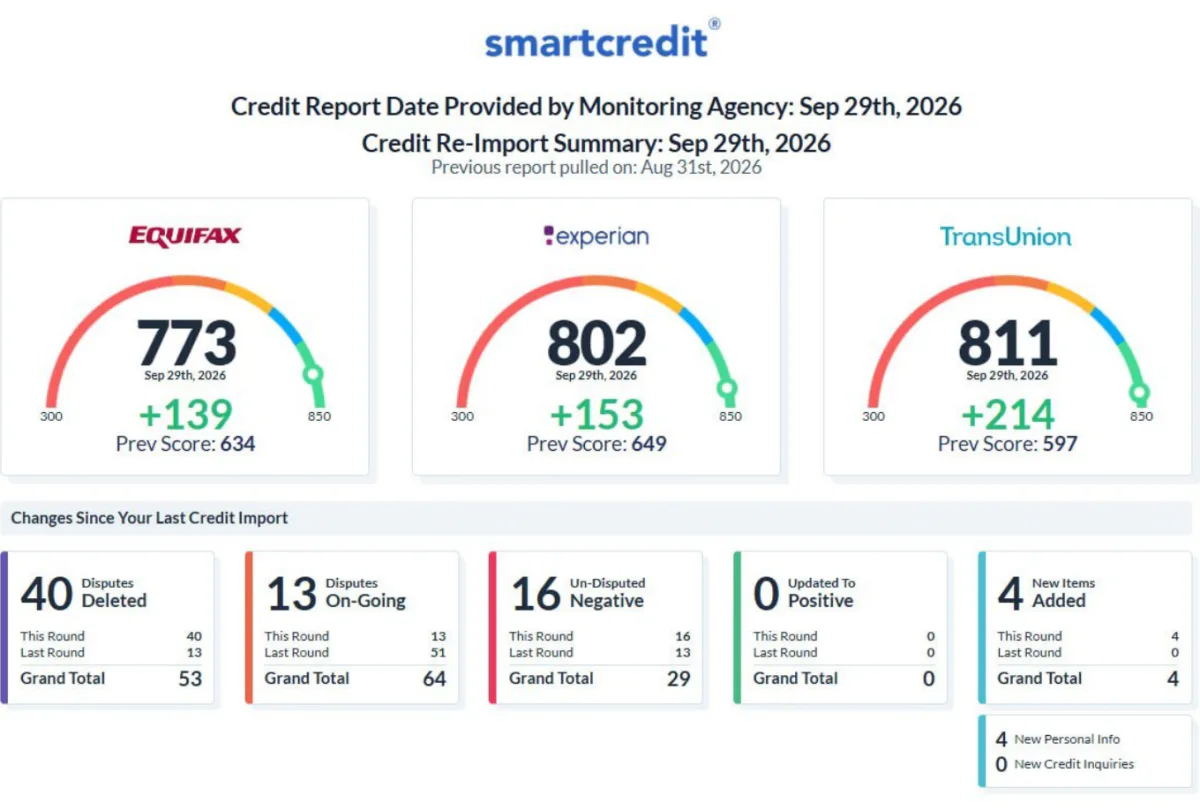
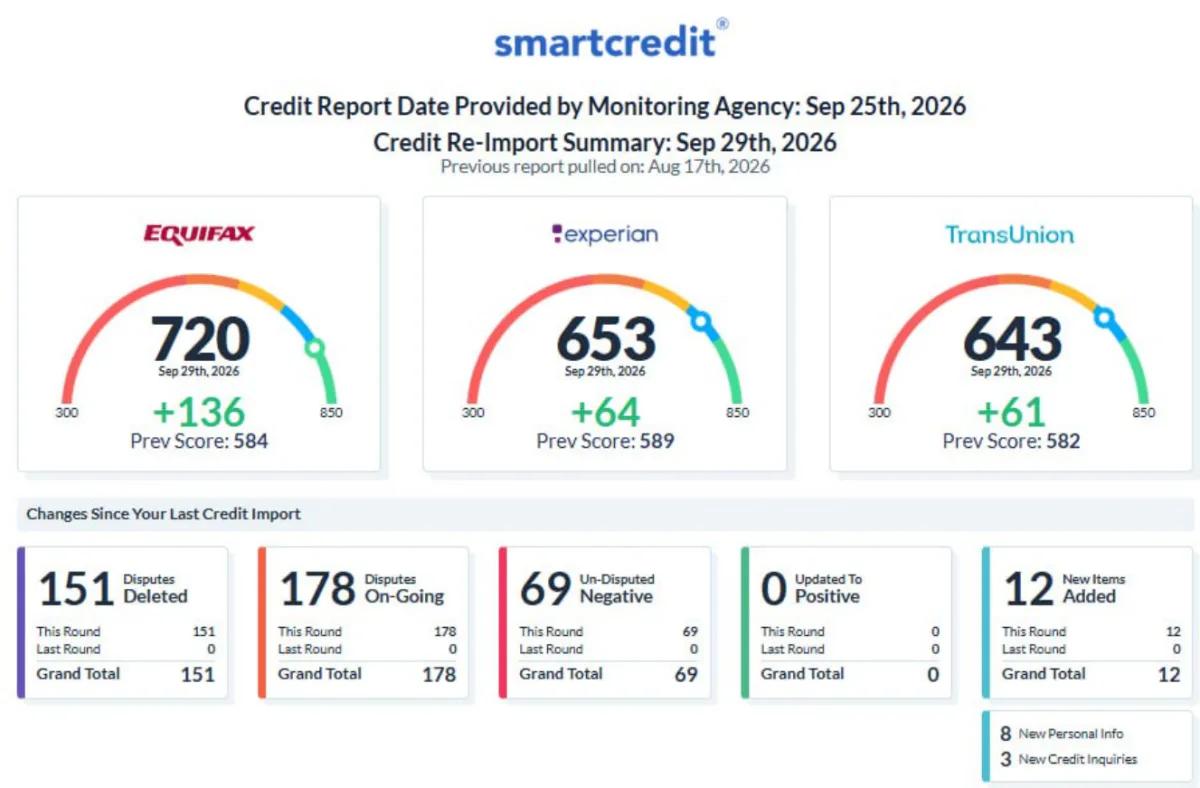
The first 6 are the files on the cards above; the rest follow in the order of our records. No client's name or personal details appear on them. Files not shown: 3. Their screenshots could not be published.
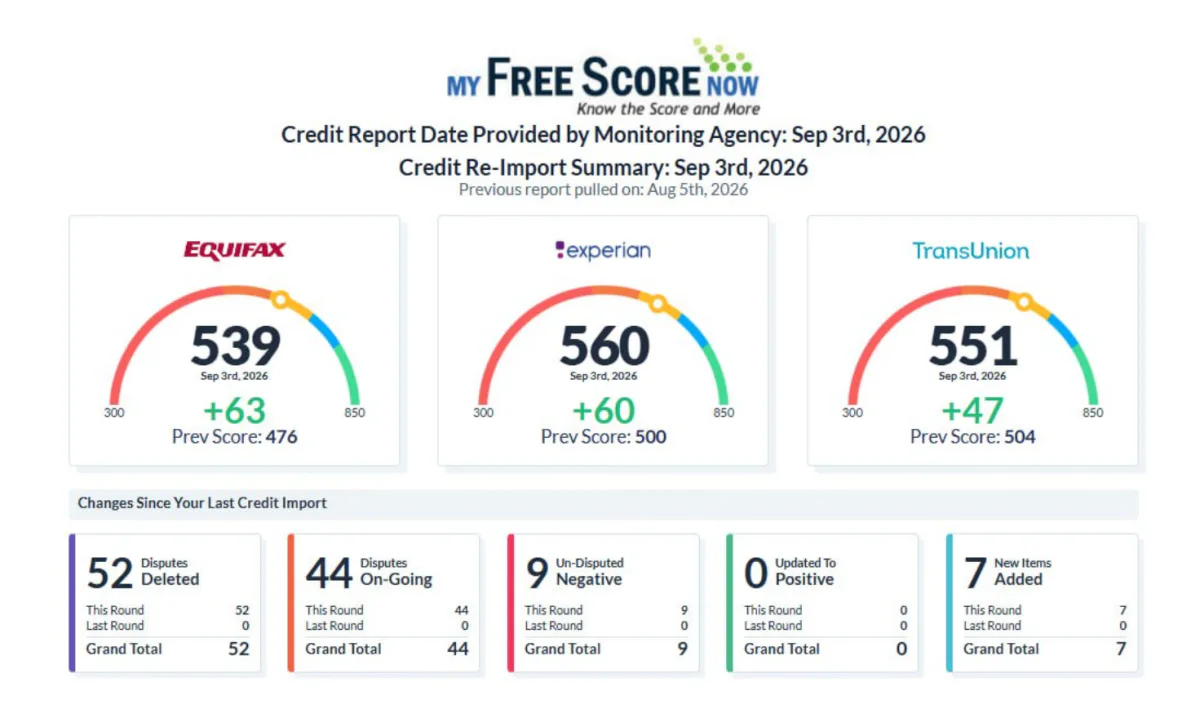
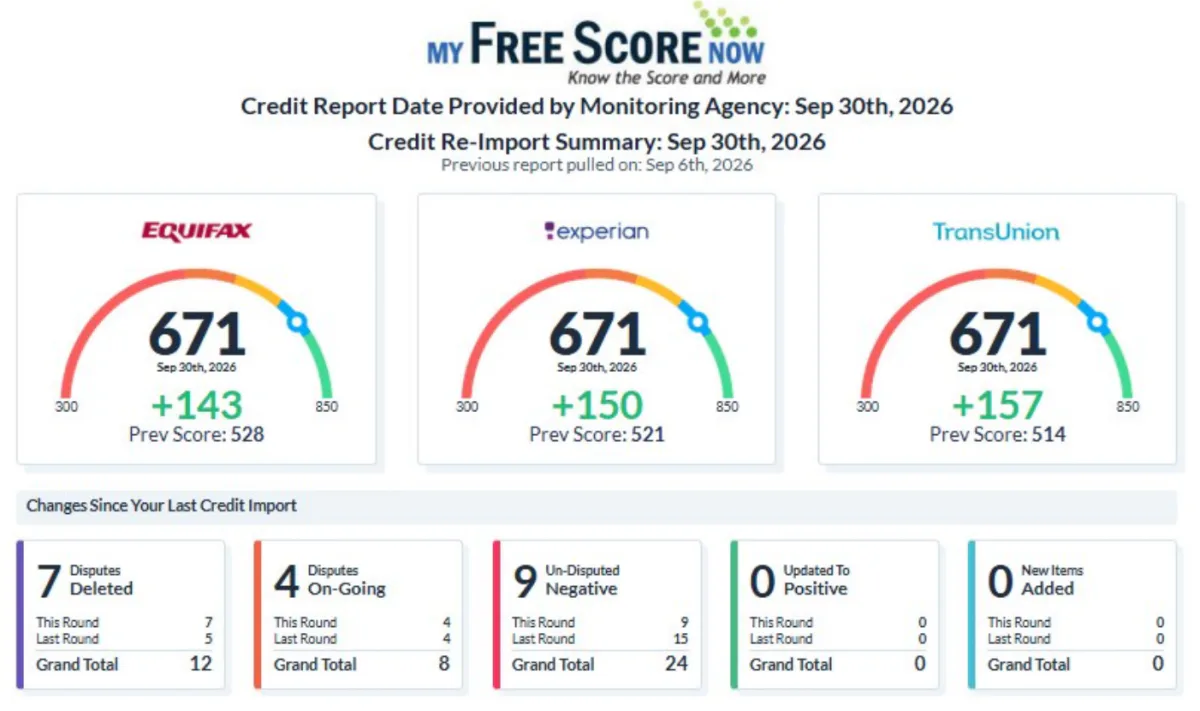
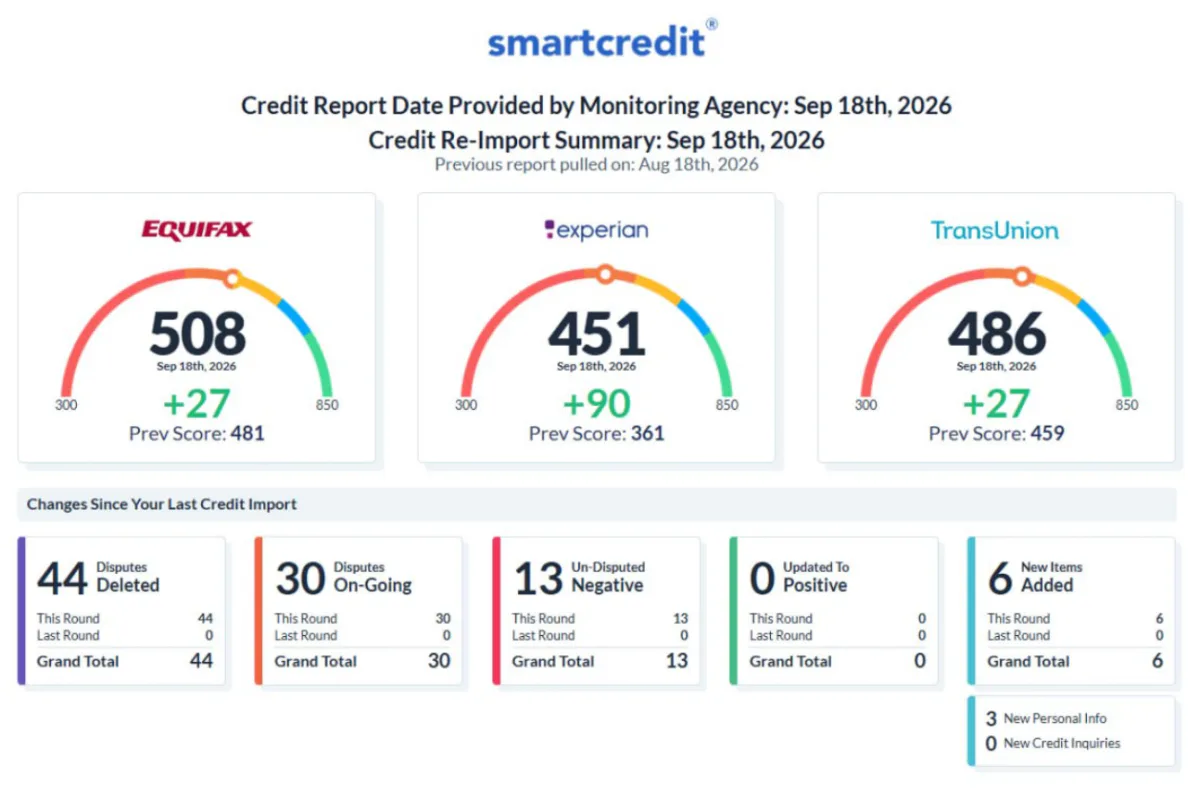
  1. Screenshot of the credit report for client file 01. The scores are on card 01 above.
    Client file 01 · reports Aug 5 and Sep 3, 2026
  2. Screenshot of the credit report for client file 02. The scores are on card 02 above.
    Client file 02 · reports Aug 20 and Sep 21, 2026
  3. Screenshot of the credit report for client file 03. The scores are on card 03 above.
    Client file 03 · reports Aug 13 and Sep 10, 2026
  4. Screenshot of the credit report for client file 04. The scores are on card 04 above.
    Client file 04 · reports Jul 22 and Aug 29, 2026
  5. Screenshot of the credit report for client file 05. The scores are on card 05 above.
    Client file 05 · reports Aug 11 and Sep 10, 2026
  6. Screenshot of the credit report for client file 06. The scores are on card 06 above.
    Client file 06 · reports Jun 20 and Sep 9, 2026
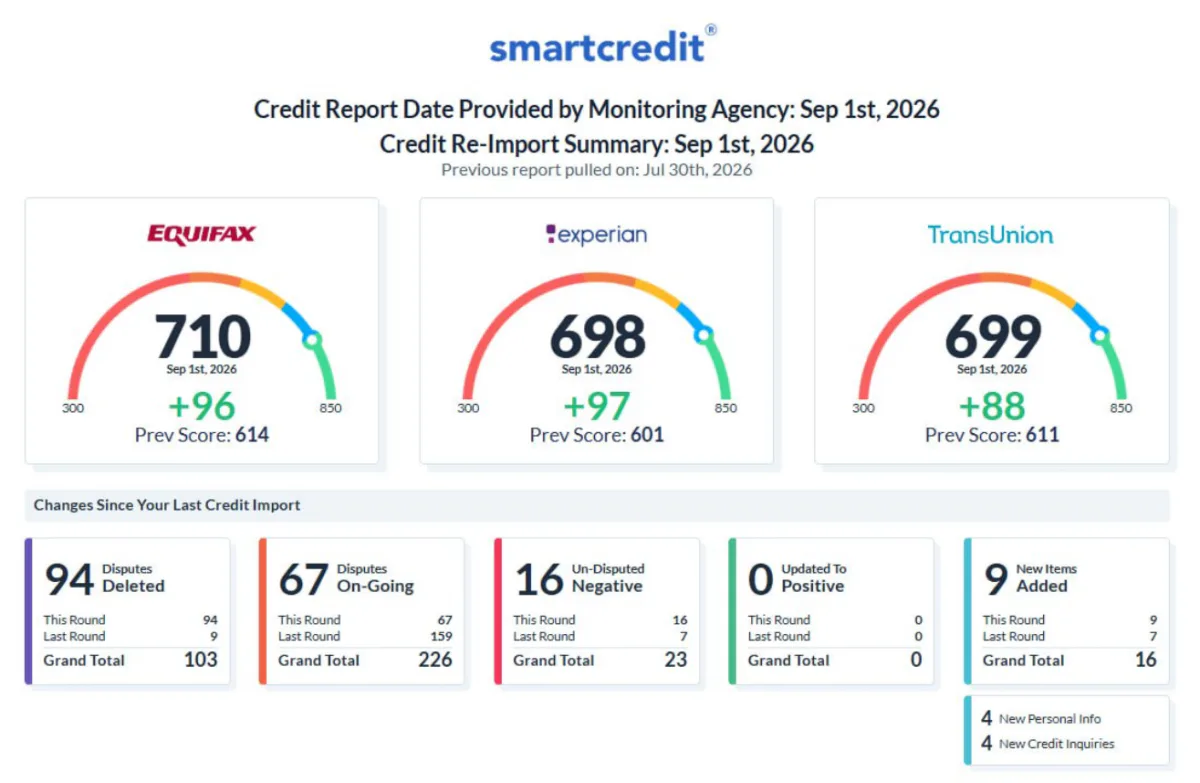
  7. Screenshot of the credit report for client file 07.
    Client file 07 · reports Jul 30 and Sep 1, 2026
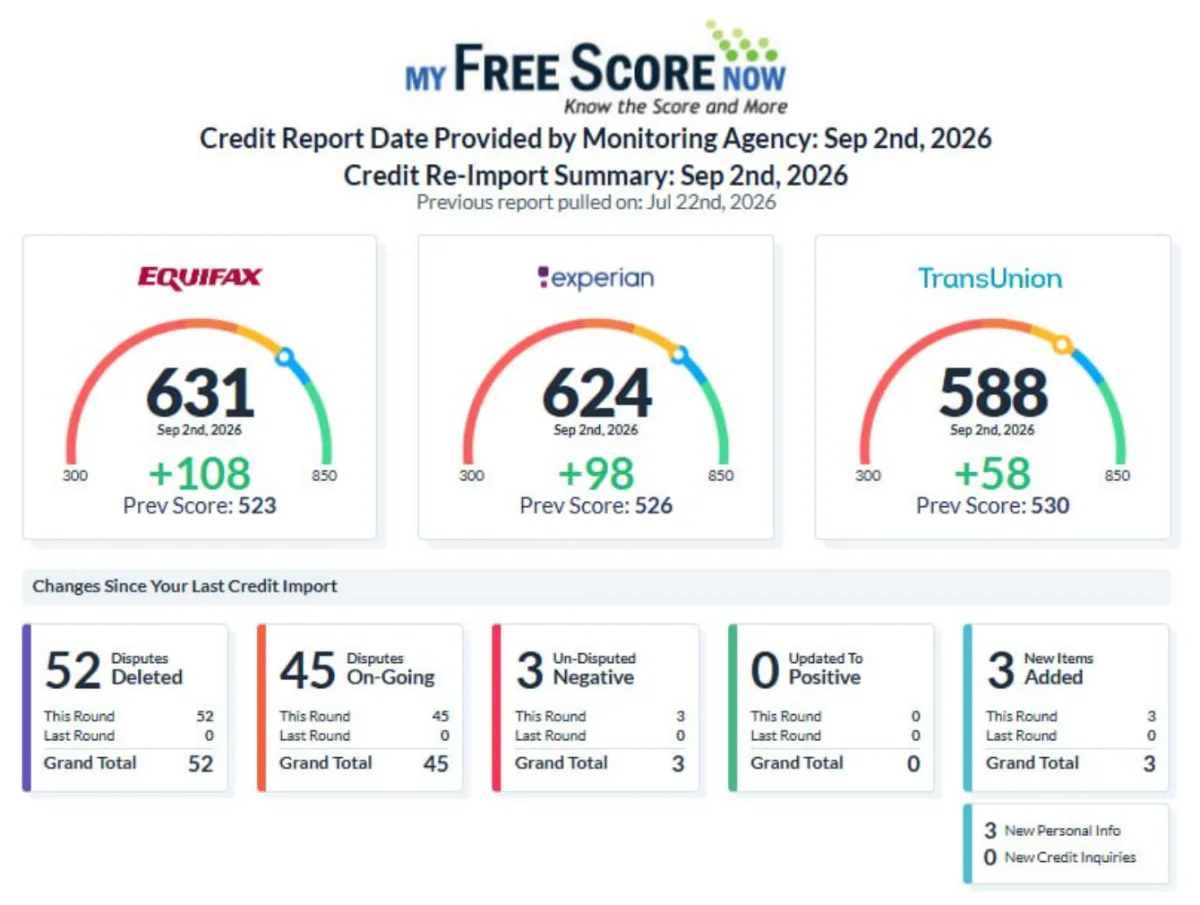
  8. Screenshot of the credit report for client file 08.
    Client file 08 · reports Jul 22 and Sep 2, 2026
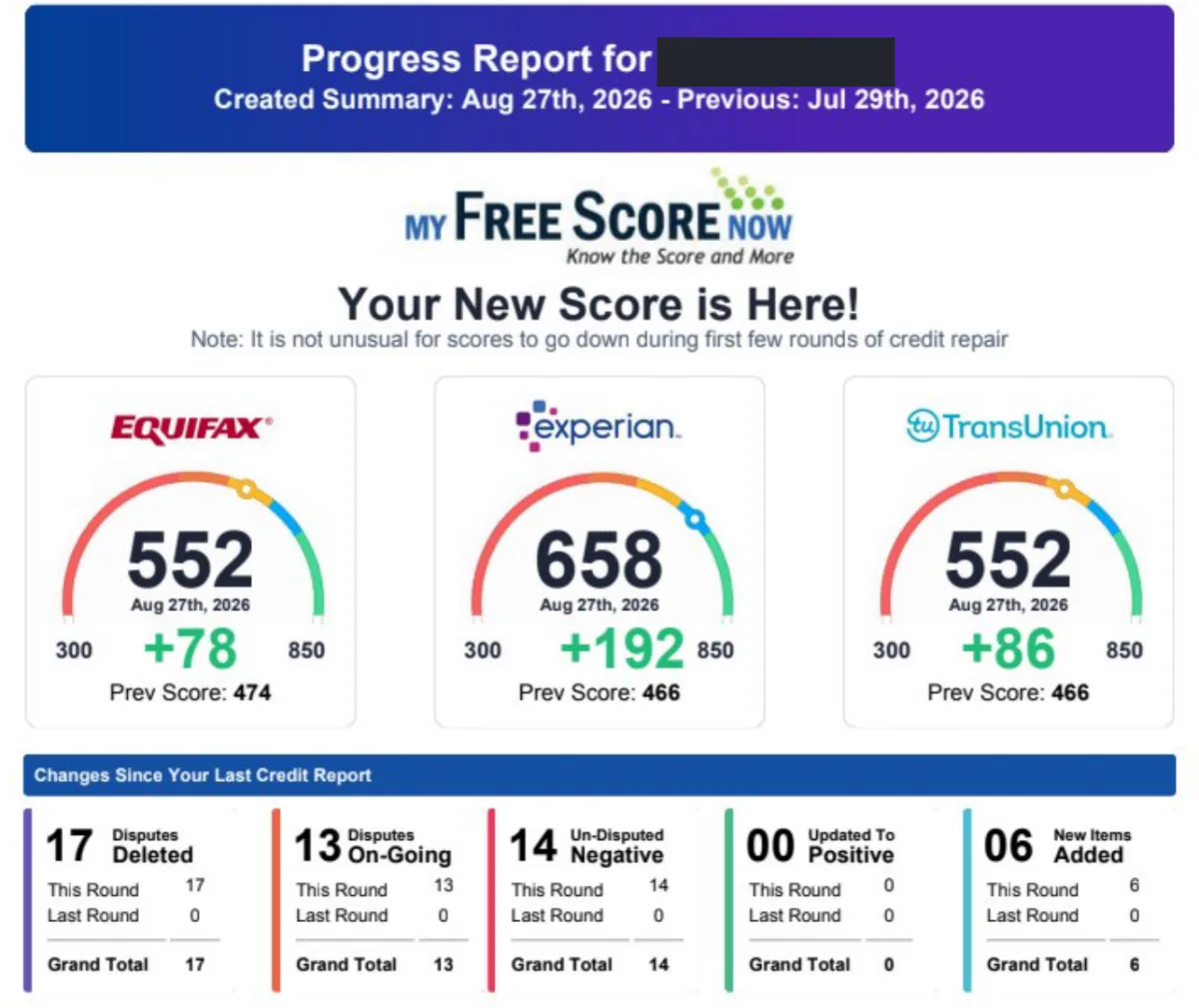
  9. Screenshot of the credit report for client file 09.
    Client file 09 · reports Jul 29 and Aug 27, 2026 · identity covered
  10. Screenshot of the credit report for client file 10.
    Client file 10
  11. Screenshot of the credit report for client file 11.
    Client file 11
  12. Screenshot of the credit report for client file 12.
    Client file 12 · reports Jul 17 and Sep 3, 2026
  13. Screenshot of the credit report for client file 13.
    Client file 13 · reports Aug 1 and Sep 3, 2026
  14. Screenshot of the credit report for client file 14.
    Client file 14 · reports Jun 9 and Sep 3, 2026
  15. Screenshot of the credit report for client file 15.
    Client file 15 · reports Jul 31 and Aug 31, 2026
  16. Screenshot of the credit report for client file 16.
    Client file 16 · reports Jul 4 and Sep 3, 2026
  17. Screenshot of the credit report for client file 17.
    Client file 17 · report Sep 3, 2026
  18. Screenshot of the credit report for client file 18.
    Client file 18 · reports Aug 5 and Sep 4, 2026
  19. Screenshot of the credit report for client file 19.
    Client file 19 · report Sep 4, 2026
  20. Screenshot of the credit report for client file 20.
    Client file 20 · report Sep 4, 2026
  21. Screenshot of the credit report for client file 21.
    Client file 21 · reports Jul 29 and Sep 4, 2026
  22. Screenshot of the credit report for client file 22.
    Client file 22 · reports Aug 12 and Sep 7, 2026
  23. Screenshot of the credit report for client file 23.
    Client file 23 · reports Aug 6 and Sep 2, 2026
  24. Screenshot of the credit report for client file 24.
    Client file 24 · reports Aug 6 and Sep 5, 2026
  25. Screenshot of the credit report for client file 25.
    Client file 25 · reports Aug 7 and Sep 7, 2026
  26. Screenshot of the credit report for client file 26.
    Client file 26 · reports Jul 16 and Sep 7, 2026
  27. Screenshot of the credit report for client file 27.
    Client file 27 · reports Jul 17 and Sep 8, 2026
  28. Screenshot of the credit report for client file 28.
    Client file 28 · reports Aug 15 and Sep 9, 2026
  29. Screenshot of the credit report for client file 29.
    Client file 29 · reports Aug 11 and Sep 10, 2026
  30. Screenshot of the credit report for client file 30.
    Client file 30 · reports Aug 12 and Sep 10, 2026
  31. Screenshot of the credit report for client file 31.
    Client file 31 · reports Aug 5 and Sep 7, 2026
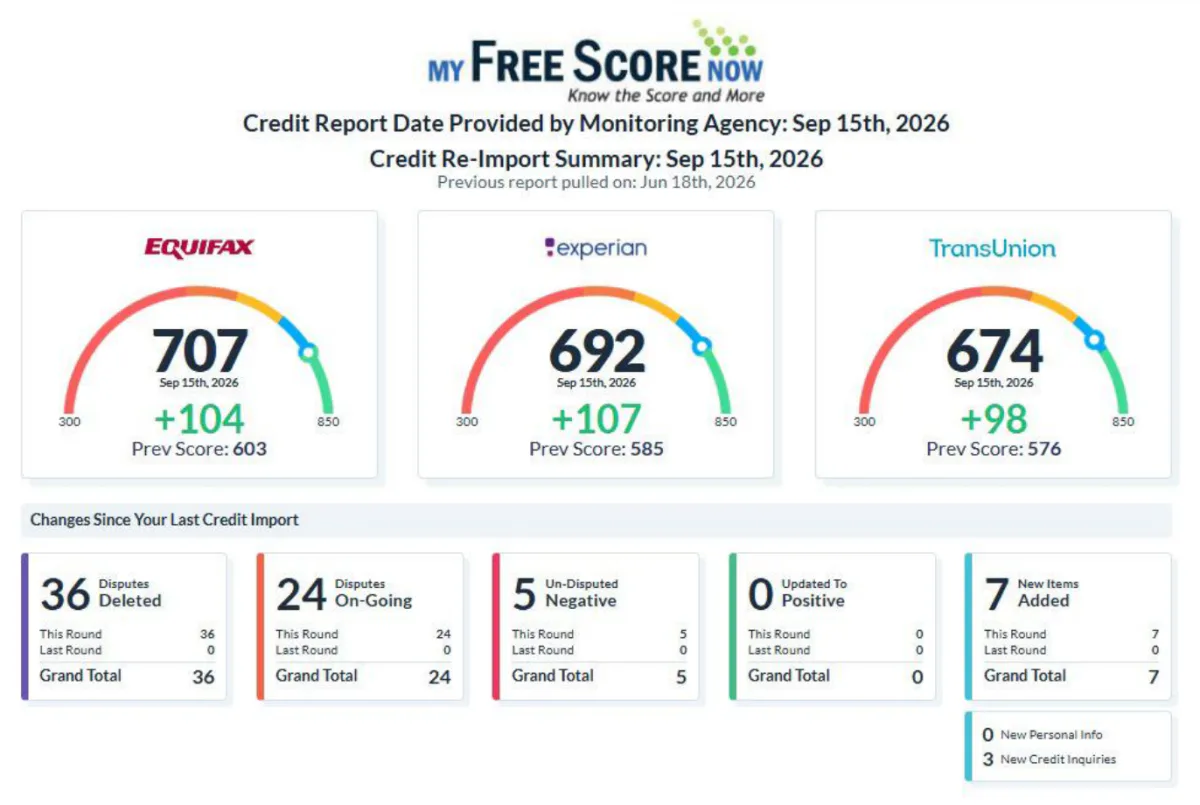
  32. Screenshot of the credit report for client file 32.
    Client file 32 · reports Jun 18 and Sep 15, 2026
  33. Screenshot of the credit report for client file 33.
    Client file 33
  34. Screenshot of the credit report for client file 34.
    Client file 34 · reports Aug 11 and Sep 8, 2026
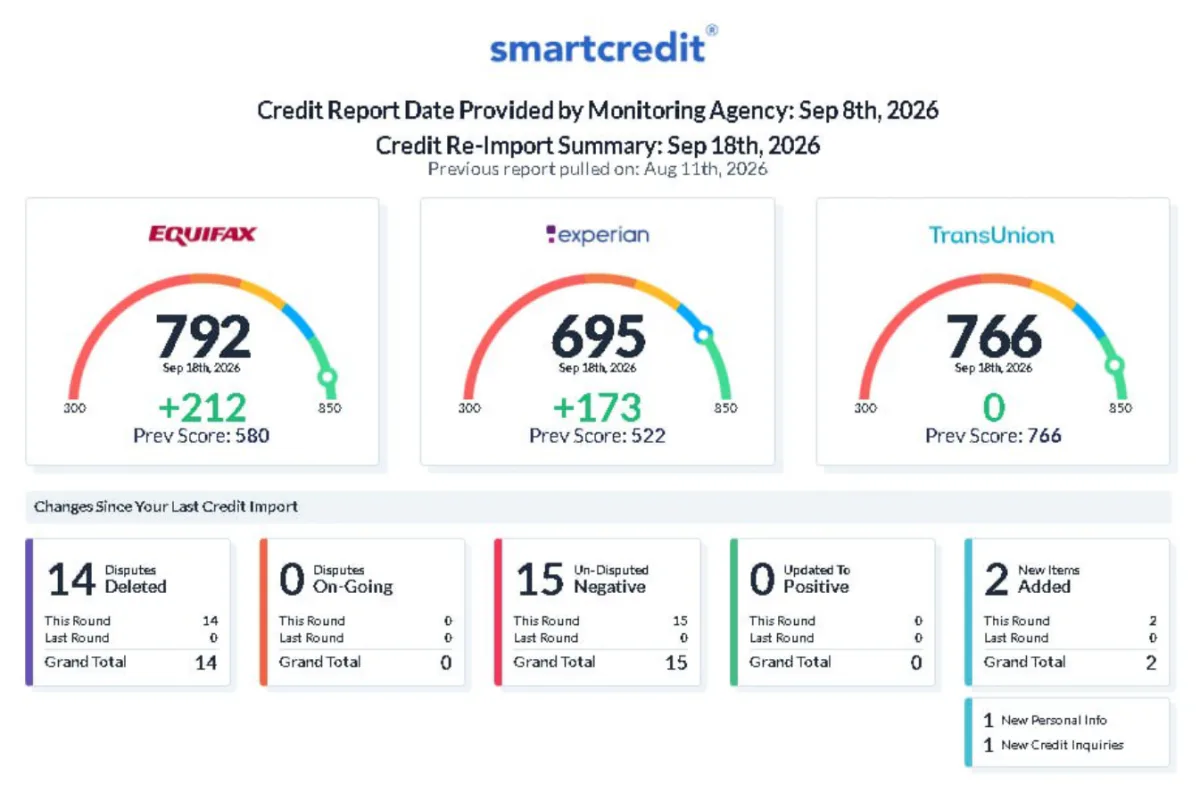
  35. Screenshot of the credit report for client file 35.
    Client file 35 · reports Aug 19 and Sep 18, 2026
  36. Screenshot of the credit report for client file 36.
    Client file 36 · reports Aug 14 and Sep 17, 2026
  37. Screenshot of the credit report for client file 37.
    Client file 37 · reports Aug 18 and Sep 18, 2026
  38. Screenshot of the credit report for client file 38.
    Client file 38 · reports Aug 19 and Sep 18, 2026
  39. Screenshot of the credit report for client file 39.
    Client file 39 · reports Jul 11 and Sep 17, 2026
  40. Screenshot of the credit report for client file 40.
    Client file 40
  41. Screenshot of the credit report for client file 41.
    Client file 41 · reports Aug 2 and Sep 16, 2026
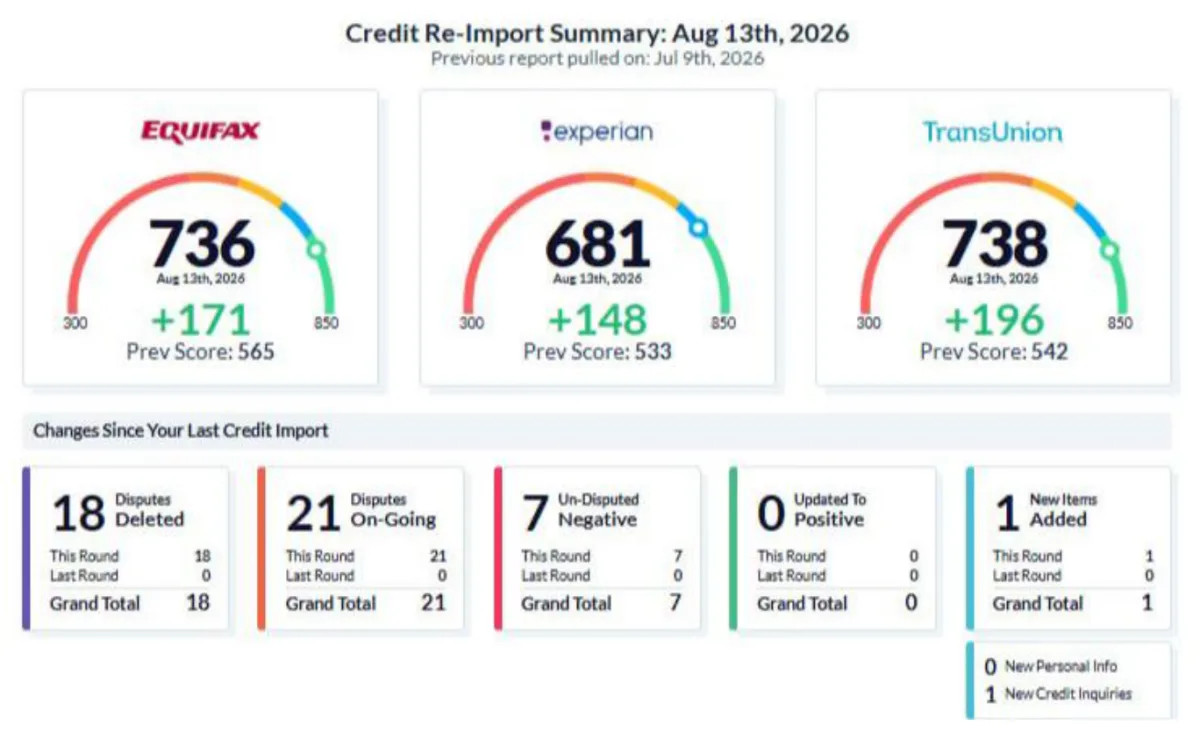
  42. Screenshot of the credit report for client file 42.
    Client file 42 · reports Aug 13 and Sep 11, 2026
  43. Screenshot of the credit report for client file 43.
    Client file 43 · reports Jul 24 and Sep 17, 2026
  44. Screenshot of the credit report for client file 44.
    Client file 44 · reports Aug 11 and Sep 16, 2026
  45. Screenshot of the credit report for client file 45.
    Client file 45 · reports Aug 20 and Sep 21, 2026
  46. Screenshot of the credit report for client file 46.
    Client file 46 · reports Aug 14 and Sep 21, 2026
  47. Screenshot of the credit report for client file 47.
    Client file 47 · reports Aug 19 and Sep 21, 2026
  48. Screenshot of the credit report for client file 48.
    Client file 48 · reports Aug 21 and Sep 21, 2026
  49. Screenshot of the credit report for client file 49.
    Client file 49 · reports Jul 2 and Sep 26, 2026
  50. Screenshot of the credit report for client file 50.
    Client file 50 · reports Aug 20 and Sep 25, 2026
  51. Screenshot of the credit report for client file 51.
    Client file 51 · reports Aug 7 and Sep 28, 2026
  52. Screenshot of the credit report for client file 52.
    Client file 52 · reports Aug 27 and Sep 28, 2026
  53. Screenshot of the credit report for client file 53.
    Client file 53 · reports Jul 16 and Sep 28, 2026
  54. Screenshot of the credit report for client file 54.
    Client file 54 · reports Aug 22 and Sep 21, 2026
  55. Screenshot of the credit report for client file 55.
    Client file 55 · reports Aug 26 and Sep 29, 2026
  56. Screenshot of the credit report for client file 56.
    Client file 56 · reports Aug 31 and Sep 29, 2026
  57. Screenshot of the credit report for client file 57.
    Client file 57 · reports Aug 17 and Sep 25, 2026
  58. Screenshot of the credit report for client file 58.
    Client file 58 · reports Aug 25 and Sep 7, 2026
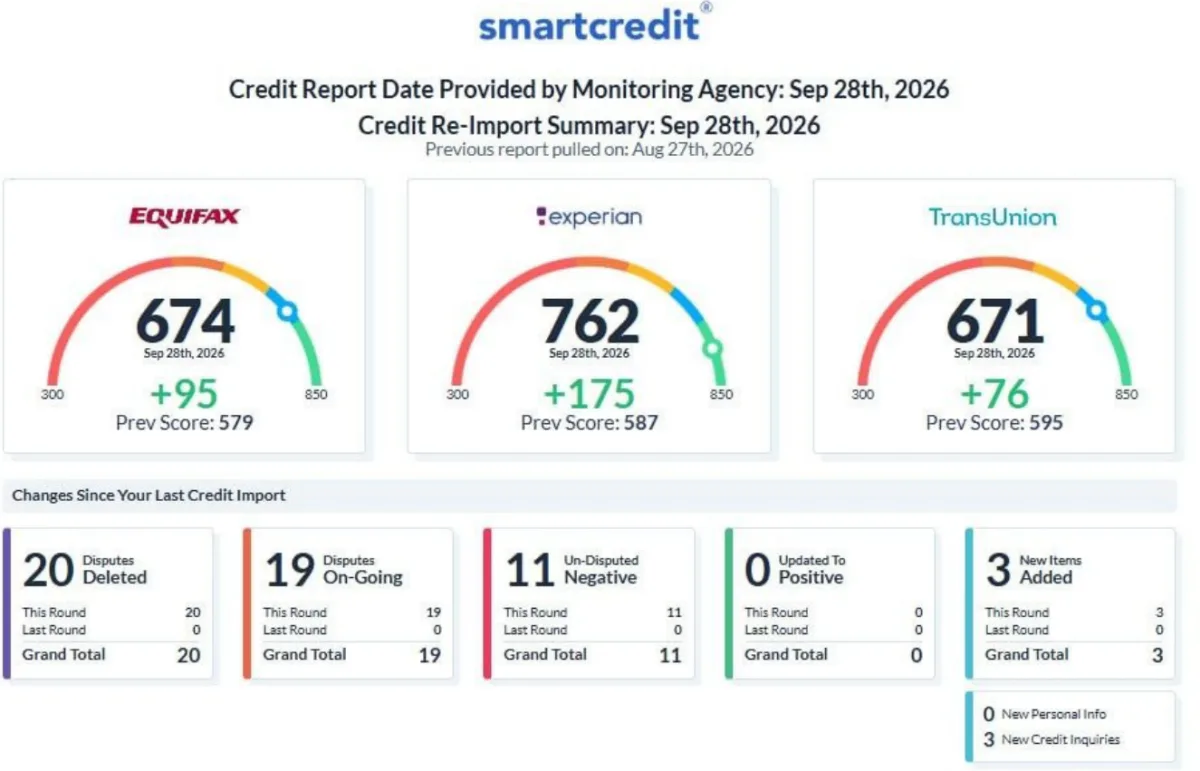
  59. Screenshot of the credit report for client file 59.
    Client file 59 · report Sep 29, 2026
  60. Screenshot of the credit report for client file 60.
    Client file 60 · reports Sep 23 and Sep 30, 2026
  61. Screenshot of the credit report for client file 61.
    Client file 61 · reports Aug 28 and Sep 29, 2026
  62. Screenshot of the credit report for client file 62.
    Client file 62 · reports Sep 6 and Sep 30, 2026

Scroll sideways to see all 62.

The screenshots show scores from each client's credit-monitoring report. The monitoring companies and the credit bureaus named in them are not affiliated with Credit Access Group and do not endorse it.

Results vary. 187 of 194 bureau scores went up; 5 went down and 2 stayed the same. Figures are from CAG's own client files, credit reports dated Aug 27 – Sep 30, 2026.

Each card is one client's file, shown without the client's identity. These are individual results, not a forecast of yours. Scores are the ones on each client's credit-monitoring report on the dates shown; a lender may use a different score.

Four steps. You pay at the last one.

  1. 1

    We review your reports

    All three, with you, on a call. You tell us what looks wrong.

  2. 2

    We dispute and follow up

    Letters go to each bureau for what you believe is inaccurate. We chase every answer.

  3. 3

    We help you build

    Positive history, and a business ready to apply when that is the goal.

  4. 4

    Then you pay

    Only after results. What counts as a result is written in your agreement before you sign.

You can dispute inaccurate information with each bureau yourself at no cost. We do the reviewing, the letters and the follow-up for you.

Start with the goal. We work back to your credit.

Tell us what you are applying for. We plan the work around it.

Goal 01

A home

Mortgage lenders read all three reports. So do we, line by line, with you.

  • Review Equifax, Experian and TransUnion
  • Dispute what you believe is inaccurate
  • Follow up until each bureau answers
Start online
Goal 02

A car

Clear up what is wrong, then build the on-time history auto lenders look for.

  • Dispute inaccurate accounts and inquiries
  • A plan for building positive history
  • Know where you stand before you apply
Start online
Goal 03

A business loan

Your personal credit and your business both get read. We prepare the two together.

  • Personal reports reviewed and disputed
  • Business records and history put in order
  • Ready to apply, in the right order
Start online

On your own, or with CAG.

You can dispute inaccurate information with each bureau yourself at no cost. Here is what changes when we do the work.

On your own

Reading the three reports
You, line by line.
Dispute letters
You write and mail each one.
Follow-up
You keep track of every answer.
Building history
You research the options.
What you pay
Nothing.

With CAG

Reading the three reports
We go through them with you on a call.
Dispute letters
We prepare and send them for what you believe is inaccurate.
Follow-up
We chase each bureau until it answers.
Building history
A plan built around your goal.
What you pay
Only after results, as written in your agreement.

Either way, accurate information can stay on a report.

Straight answers.

When do I pay?

Only after results. What counts as a result, and what you pay for it, is written in your agreement before you sign anything.

Can you remove accurate information?

No. We dispute only information you believe is inaccurate, incomplete or cannot be verified. Accurate information can stay on a report.
How long does it take?

It depends on your reports and on how each bureau responds. Results vary, and no timeline is promised.
What happens after I send the form?

Someone from CAG calls you to review your three credit reports with you. Nothing is signed or charged on this page.
Can I change my mind after I sign?

Yes. You have three business days after you sign to cancel, and your agreement explains how.

Do you ask for my Social Security number here?

No. The form asks only for your name, your mobile number and what you are interested in.

Do you only do credit repair?

No. We also help you build credit history, and we prepare a business to apply for funding.

Start online

You pay only after results.

Let's get you started.

Tell us what you need and how to reach you. We'll call to review your three reports with you.

What are you most interested in?
Privacy policy

We don't ask for your Social Security number or date of birth here.